How Temperature-Based Auto-Tuning Firmware Extends Whatsminer Lifespan
Mining hardware efficiency isn’t just about hashing power. Temperature management plays a vital role in maintaining performance and extending the lifespan of your Whatsminer units. Firmware temperature tuning offers a smart way to control thermal conditions without costly hardware upgrades or excessive cooling systems. By understanding how to adjust firmware settings for optimal thermal performance, miners can prevent overheating, reduce wear and tear, and ultimately improve their return on investment.
Whatsminer firmware temperature tuning enables miners to optimize thermal conditions, reduce hardware stress, and extend ASIC lifespan by adjusting cooling parameters directly through firmware settings. Proper tuning prevents overheating and maintains efficiency without needing expensive cooling modifications.
Understanding the importance of firmware temperature tuning
ASIC miners like Whatsminer generate significant heat during operation. Excessive heat not only hampers performance but also accelerates hardware degradation. Firmware temperature tuning allows you to modify internal parameters that influence fan speeds, temperature thresholds, and power consumption. It’s a balancing act — optimize for cooling without sacrificing efficiency or stability.
Proper thermal management through firmware adjustments can make a big difference in your mining operation. It minimizes thermal stress, keeps your hardware running at ideal temperatures, and limits downtime caused by overheating.
How firmware temperature tuning works in Whatsminer devices
Firmware controls many aspects of your miner’s operation, including temperature regulation. Typically, miners come with default settings designed for general use. However, these defaults may not be ideal for your specific environment or workload. Firmware temperature tuning involves manually adjusting these settings for better control over how your miner responds to heat.
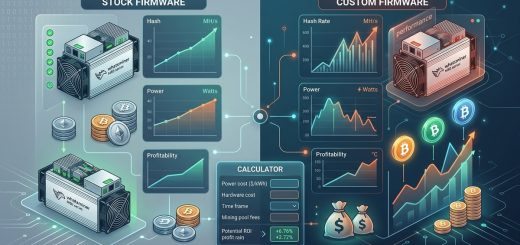
Most modern Whatsminer models support firmware modifications either through official updates or custom firmware options. These modifications allow you to set temperature thresholds for fans and internal sensors, influence fan speed curves, and even modulate power limits based on thermal conditions.
Practical process for tuning Whatsminer firmware temperature settings
-
Assess your current temperature profile
Use monitoring tools or the miner’s dashboard to identify operating temperatures during full load. Take note of the maximum temperature and how often it is approached. -
Update or install custom firmware if needed
Some models support custom firmware that offers advanced temperature control features. Check your miner’s compatibility and follow manufacturer instructions for flashing new firmware safely. -
Adjust temperature thresholds and fan curves
Access the firmware settings through the miner’s interface or via SSH. Locate the temperature control parameters. Set lower thresholds for fan activation to keep temperatures in check proactively. -
Test and monitor
Run your miner under typical load conditions. Observe the impact of your adjustments on temperature and noise levels. Use monitoring tools to ensure settings are stable and effective. -
Fine-tune for optimal performance
If temperatures are still too high, lower thresholds further or increase fan speeds gradually. Conversely, if the miner runs too noisy or consumes excess power, consider relaxing some thresholds carefully.
Techniques for effective temperature tuning
- Set conservative temperature limits to prevent thermal stress
- Adjust fan speed curves to increase cooling at specific temperature points
- Implement dynamic thresholds that respond to ambient temperature variations
- Use software tools like WhatsMiner Dashboard or third-party options for precise control
- Regularly update firmware to benefit from improvements and bug fixes that influence thermal regulation
Common mistakes to avoid during temperature tuning
| Mistake | Explanation |
|---|---|
| Setting thresholds too low | Causes fans to run constantly, increasing noise and power consumption. |
| Ignoring ambient environment | Ambient temperature impacts internal cooling effectiveness. Adjust settings accordingly. |
| Over-relying on fan speeds | Fans are effective but have limits; overuse can lead to premature wear. |
| Not monitoring after changes | Always observe the impact of adjustments over time before further tuning. |
| Using incompatible firmware | Can cause instability or damage to the miner. Always verify firmware compatibility. |
Expert tip: “Effective firmware temperature tuning is about finding the sweet spot where your miner stays cool enough to prevent damage but not so cold that you waste energy or create unnecessary noise. Regular monitoring and incremental adjustments are key.”
Benefits of temperature tuning through firmware adjustments
- Prolong hardware lifespan
By keeping temperatures within safe limits, you reduce thermal stress that causes solder joint failures and component degradation. - Maintain consistent hashrate
Overheating often results in throttling. Firmware tuning prevents thermal throttling, ensuring steady performance. - Save on cooling costs
Lowering the need for extensive cooling infrastructure can significantly cut operational expenses. - Reduce downtime
Proper thermal control minimizes overheating shutdowns, keeping your mining operation running smoothly.
Implementing firmware temperature tuning with safety in mind
While firmware adjustments can be powerful, they must be approached with caution. Always back up your current firmware settings before making changes. Use only trusted firmware versions from reputable sources. Small incremental changes yield the best results, avoiding sudden shifts that might destabilize your system.
If unsure about the process, consult with experienced miners or reach out to community forums. Many users share their successful configurations for specific Whatsminer models, which can serve as valuable references.
Expert advice on firmware safety
“Never push your hardware beyond manufacturer-recommended temperature limits. Firmware tuning is about optimization, not pushing the equipment to its breaking point.”
Final thoughts on keeping your Whatsminer cool and productive
Temperature management through firmware tuning offers a flexible, cost-effective way to extend your ASIC miner’s lifespan and improve efficiency. It empowers you to adapt thermal parameters to your environment and workload without expensive hardware changes. As always, proceed carefully, monitor your results, and update your settings as needed.
Your mining setup will benefit from this proactive approach. Regularly review your temperature thresholds and fan curves to keep pace with environmental changes or hardware aging. With attention to detail and patience, firmware temperature tuning can become a vital part of your mining maintenance routine, helping you get the most out of your investment for years to come.