5 Cooling Hacks to Keep Your Whatsminer Running at Peak Hashrate During Summer 2026
Your Whatsminer is working hard, and the summer heat is making it work even harder. You can hear the fans spinning up. The chip temperature is climbing. Hashrate starts to dip. That sinking feeling hits when you realize your mining profits are literally melting away.
It does not have to be this way. You can keep your Whatsminer running at peak performance all summer long without spending a fortune on industrial cooling systems. These five practical hacks are used by home miners across the United States to beat the heat and protect their bottom line.
High ambient temperatures cause Whatsminer ASICs to throttle hashrate, reducing daily earnings by as much as 15% during peak summer months. You do not need expensive immersion cooling to fix this. Five simple, low-cost hacks can drop your chip temperature by 10-15 degrees and keep your miner hashing at full speed through the hottest days of 2026.
Hack One: Fix the hot air recirculation loop
The most common cooling problem is not bad airflow. It is the recirculation loop. Your Whatsminer pulls in cool air from the room, heats it up, and blows it out the back. If that hot exhaust air gets sucked back into the intake, you are just cycling hot air around and around.
This happens more often than you think. A Whatsminer M30S++ or M50 sitting on a shelf with only a few inches of clearance behind it will pull its own exhaust right back in. The chip temperature creeps up. The fans spin faster. And your hashrate drops.
Here is the fix:
- Measure the distance between your miner’s exhaust and the nearest wall or obstruction. You need at least 12 inches of clearance behind the unit.
- If you cannot move the miner, create a simple exhaust duct using a piece of cardboard or a dryer vent hose. Attach it to the back of the miner to channel hot air away from the intake area.
- Point the exhaust toward a window or a door that leads outside. Every bit of hot air you remove from the room is cool air your miner can use.
This single change can drop your intake temperature by 5 to 8 degrees. That is a direct improvement in hashrate stability.
Hack Two: Use a box fan for positive pressure
Your Whatsminer has built-in fans, but they are fighting against the ambient temperature of the room. If the room air is 90 degrees, the best those fans can do is keep the miner from overheating completely. They cannot make it run cold.
The solution is to give your miner a dedicated supply of fresh air. A standard 20-inch box fan from any hardware store costs around 20 dollars. Place it so it blows directly into the intake side of your Whatsminer. This creates positive pressure. The miner gets more air than its fans can pull on their own.
Expert advice: Do not aim the fan at the exhaust side. That does nothing useful. The fan must push fresh air into the intake grille. Your chip temperature will drop by 5 to 10 degrees within minutes.
This hack works especially well if you can place the box fan near a window or an open door. You are essentially forcing outdoor air through the miner, bypassing the hot room air entirely.
Hack Three: Switch to a night mining schedule
This one is free and requires no hardware at all. Most home miners run their equipment 24/7 because they think uptime equals profit. But during summer, running during the hottest part of the day hurts your efficiency.
Electricity rates in many parts of the United States are lower at night. And outdoor temperatures drop significantly after sunset. If you live in a state like Texas, California, or Florida, the difference between a 3 PM temperature and a 3 AM temperature can be 20 degrees or more.
Here is what you can do:
- Check your local utility time-of-use rates. Many providers charge less between 9 PM and 6 AM.
- Use your Whatsminer’s built-in scheduler or a smart plug to shut down during peak heat hours (usually 1 PM to 6 PM).
- Let the miner run full speed overnight when temperatures are 15 to 20 degrees cooler.
Your daily hashrate might drop slightly because of the downtime, but your efficiency per watt will improve. And your electricity bill will be lower. For home miners on tight margins, this trade-off often makes financial sense. Read more about the financial side of mining in our Whatsminer Profitability Calculator.
Hack Four: Deep clean the dust from every fin
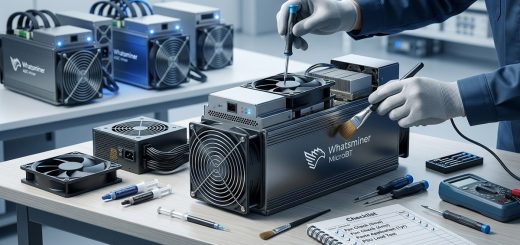
Dust is the silent killer of mining performance. It builds up on the heat sink fins, between the fan blades, and inside the air channels of your Whatsminer. A layer of dust just a few millimeters thick acts like a blanket. It traps heat and forces your fans to work harder.
Most miners clean the outside of their units. Very few clean the inside properly. Here is a step-by-step process for a thorough cleaning:
- Power down your Whatsminer and unplug it from the wall. Let it cool for at least 30 minutes.
- Remove the front intake grille and the rear exhaust grille. Most Whatsminer models use simple clips or screws.
- Use compressed air to blow dust out from the inside. Work from the intake side toward the exhaust side. Wear a dust mask and do this outside.
- For stubborn dust on the heat sink fins, use a soft brush. A clean paintbrush works well. Gently sweep the dust toward the exhaust path.
- Clean the fan blades individually. Dust on the blades unbalances them and reduces airflow.
- Reassemble the miner and power it back on. Monitor the chip temperature for 30 minutes.
| Cleaning frequency | Condition | Expected temperature drop |
|---|---|---|
| Every 2 weeks | Light dust environment | 2 to 4 degrees |
| Every 4 weeks | Normal home environment | 4 to 6 degrees |
| Every 8 weeks | Pet hair or high dust | 6 to 10 degrees |
A clean miner runs cooler, draws less power, and lasts longer. This is the cheapest performance upgrade you can do. If you want to understand how temperature affects long-term hardware health, check out our guide on Extending Whatsminer Lifespan.
Hack Five: Elevate and insulate your miner
The floor of a room is often the coolest spot. But putting your Whatsminer directly on carpet or a rug is a terrible idea. Carpet traps heat and blocks the bottom intake vents. Your miner suffocates.
The fix is simple. Raise the miner off the floor using a wire shelf or a metal rack. The open grid allows air to flow freely underneath. This alone can drop temperatures by 3 to 5 degrees.
For an extra boost, add a layer of rigid foam insulation board under the shelf. This prevents the heat from your miner from warming up the concrete slab or the floorboards. In basements and garages, this makes a noticeable difference.
Here is a list of materials that work well for this hack:
- Wire shelving unit (available at any home improvement store)
- Rigid foam insulation board (R-5 or higher)
- Rubber vibration dampening pads (reduces noise transfer)
- Zip ties to secure the miner to the shelf
Avoid wood shelves. Wood is an insulator and traps heat. Metal wire shelves allow air to pass through. This is one of the most overlooked Whatsminer cooling hacks, and it costs under 30 dollars to implement.
Common cooling mistakes that cost you hashrate
Many home miners try to cool their equipment but end up making things worse. Here are the most common mistakes and what you should do instead.
| Mistake | What happens | Better approach |
|---|---|---|
| Blocking the exhaust with a towel or filter | Airflow is restricted. Fans work harder. Temperature rises. | Use a duct to direct exhaust away. Never block it. |
| Pointing a fan at the exhaust side | Does not help. The fan fights against the miner’s own airflow. | Point the fan at the intake side only. |
| Closing the room door to contain noise | Room temperature rises by 10+ degrees. Miner throttles. | Leave the door open or install a vent in the door. |
| Using a small desk fan | Not enough air volume to make a difference. | Use a 20-inch box fan or a high-CFM blower. |
| Ignoring the intake temperature | Focusing only on chip temperature misses the root cause. | Measure the air temperature entering the miner. Keep it under 85 degrees. |
When to consider more advanced cooling
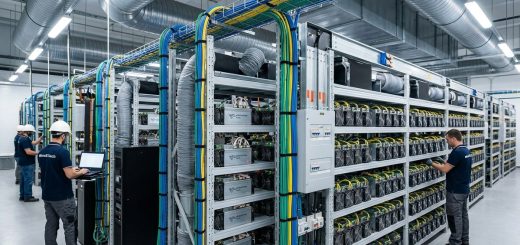
These five hacks will solve most overheating problems for home miners. But if your Whatsminer is still running hot after applying all of them, you might be pushing the limits of air cooling. This is especially true for high-wattage models like the M60 or M60S.
If you live in a region where summer temperatures regularly hit 100 degrees or higher, you may need to look at more advanced solutions. Some options include:
- Evaporative cooling (swamp coolers) for dry climates
- Portable air conditioning units for small rooms
- Dedicated ventilation systems that pull hot air directly outside
Before you spend money on any of these, make sure you have fully implemented the five hacks above. Many miners skip the basics and jump straight to expensive solutions. That is a mistake. The simple fixes often deliver 80% of the benefit for 10% of the cost.
For a deeper look at how different cooling methods compare, read our analysis on Immersion Cooling vs Air Cooling.
Building a summer cooling routine that sticks
The best cooling hack is the one you actually do consistently. A single deep clean in June will not protect your miner through August. The dust will come back. The recirculation loop will creep in. The box fan will get moved.
Set a calendar reminder for the first of each month. On that day, check your Whatsminer’s chip temperature, clean the intake grille, and make sure the box fan is still in the right position. This takes ten minutes. It saves you from losing a full day of hashrate when a heat wave hits.
If you are deploying a new miner for the first time, avoid common setup errors by reviewing our guide on 7 Critical Mistakes to Avoid When Deploying Your First Whatsminer Rig.
Track your temperature data
You cannot improve what you do not measure. Use your Whatsminer’s web interface or a monitoring tool to log chip temperatures throughout the day. Compare the hottest hour (usually 3 PM to 5 PM) with the coolest hour (usually 4 AM to 6 AM).
If the difference between those two numbers is more than 15 degrees, your cooling setup is not keeping up. Apply the hacks in this article until that gap shrinks to 10 degrees or less.
Some miners use a simple spreadsheet. Others use dedicated monitoring software. The tool does not matter. The data does. Over time, you will learn exactly how your specific miner behaves in your specific room. That knowledge lets you make small adjustments before problems occur.
Your summer hashrate is in your hands
Summer 2026 is going to bring heat waves. That is a fact. But your Whatsminer does not have to suffer. You have the tools and the knowledge to keep it running cold and hashing hard.
Start with the recirculation fix. Add the box fan. Clean the dust. Raise the miner off the floor. Adjust your schedule. These five things cost almost nothing and deliver real results.
Your mining profits depend on keeping that chip temperature under control. Take action today. Your wallet will thank you when the August heat hits and your hashrate stays steady.