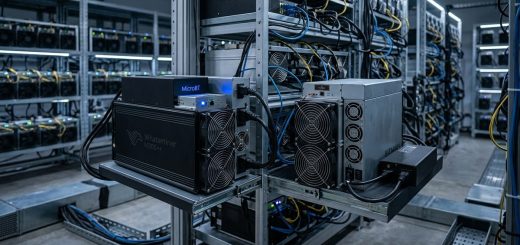
Whatsminer Power Supply Failures: Early Warning Signs and Replacement Options
Mining hardware can be complex and unforgiving when it comes to power issues. A sudden power supply failure in your Whatsminer rigs can cause costly downtime and impact your mining profitability. Recognizing early warning signs and knowing how to troubleshoot effectively can save you time and money. This guide offers practical advice on troubleshooting Whatsminer power supply failures, signs to watch for, and how to choose the right replacement options.
Recognizing early warning signs of power supply issues
Being able to identify early signs of power supply problems is essential for maintaining high uptime. Most issues do not happen suddenly. Instead, they often give subtle clues that something’s amiss.
Common signs to watch for
- Unexpected reboots or shutdowns: Your miner restarts or powers off without warning.
- Decreased hash rate: A sudden drop in mining performance can indicate power issues.
- Error codes on the display or management interface: Many Whatsminer models display specific error messages related to power.
- Unusual noises or vibrations: Buzzing sounds or vibrations coming from the power supply may indicate internal problems.
- Overheating components: Excessive heat can cause power supply failures if not addressed.
Why early detection matters
Early signs often point to problems that can be fixed with simple troubleshooting or timely component replacements. Ignoring them risks complete failure, which could mean hours or days of lost mining revenue.
Troubleshooting Whatsminer power supply failures
When your miner exhibits signs of power issues, follow a systematic approach. Here are the key steps to diagnose and possibly fix the problem.
1. Check cables and connections
Start with the basics. Power cables, data cables, and copper strips should be secure and undamaged. Loose or broken connections are common causes of power failures.
- Ensure all power cords are plugged in tightly.
- Inspect for frayed or damaged cables.
- Confirm that copper strips connecting power supply to the mainboard are clean and properly seated.
2. Verify power supply configuration and output voltage
Incorrect voltage settings or degraded power supplies can cause issues.
- Use a multimeter to check the output voltage of the power supply.
- Confirm the voltage matches the specifications listed in the miner’s manual.
- If voltage is too low or unstable, consider replacing the power supply.
3. Reboot and test the power supply
Sometimes a simple reboot can resolve minor glitches.
- Power off the miner and disconnect the power supply.
- Wait a few minutes.
- Reconnect and power it back on.
- Observe if the issue persists.
4. Test with a known-good power supply
If possible, swap in a functioning power supply from another miner.
- This helps determine whether the issue is with the power supply itself or other components.
- If the problem disappears with the new power supply, replace the faulty unit.
5. Check error codes and logs
Most Whatsminer models display error codes that can guide troubleshooting.
- Refer to the manufacturer’s error code list.
- Use software or the onboard display to read logs.
- Codes indicating power supply problems point directly to the unit needing replacement.
6. Inspect internal components
If the previous steps don’t resolve the issue, open the power supply carefully.
- Look for visible damage like bulging capacitors, burnt components, or corrosion.
- Use a thermal camera or infrared thermometer to spot overheating parts.
- If damage is visible, replacement is usually the best option.
Replacement options for Whatsminer power supplies
When troubleshooting confirms a defective power supply, selecting the right replacement is vital.
Choosing the correct power supply
- Match the wattage rating to your miner’s requirements.
- Use a power supply compatible with your specific Whatsminer model.
- Consider supplies with overcurrent and overvoltage protection features.
- Opt for units from reputable manufacturers to ensure reliability.
OEM vs aftermarket power supplies
- OEM (Original Equipment Manufacturer) units guarantee compatibility.
- Aftermarket supplies can be cost-effective but may vary in quality.
- Read reviews and check specifications thoroughly before choosing aftermarket options.
Installation tips
- Follow the manufacturer’s instructions carefully.
- Ensure all connections are secure.
- Avoid over-tightening screws or damaging cables.
- Test the miner after installation for proper operation.
Preventing power supply failures and maintaining uptime
Prevention is better than cure. Regular maintenance can extend the lifespan of your power supplies.
- Keep power supplies in a cool, ventilated area.
- Clean dust and debris regularly.
- Monitor power consumption and voltage levels.
- Use surge protectors or uninterruptible power supplies (UPS) to guard against voltage spikes.
- Schedule periodic inspections for signs of wear or damage.
“Proactive maintenance and early troubleshooting can significantly reduce downtime. Always keep spare power supplies on hand for quick swaps.” — MicroBT technical expert advice
Troubleshooting table: techniques and common mistakes
| Technique | What it achieves | Common mistake | How to avoid it |
|---|---|---|---|
| Checking cables | Ensures all connections are secure | Forgetting to verify both ends | Double-check both plug-in points |
| Measuring voltage | Confirms supply is within specs | Using incorrect multimeter settings | Use the right setting and calibration |
| Swapping power supplies | Isolates faulty units | Using incompatible replacements | Match wattage and model specifications |
| Inspecting internal components | Detects physical damage | Overlooking subtle signs like bulging capacitors | Use a magnifier or thermal camera |
| Reading error codes | Guides targeted repairs | Ignoring warning messages | Always document and investigate codes |
Common pitfalls to avoid
- Relying solely on visual inspection without measuring voltage.
- Using cheap or unverified aftermarket power supplies.
- Ignoring warning signs like overheating or unusual noises.
- Failing to keep backups of critical hardware components.
- Overlooking environmental factors like ventilation or power surges.
Final thoughts on Whatsminer power supply care
Maintaining a healthy power supply is key to consistent mining operations. Regular checks and knowing the signs of failure can prevent costly downtimes. When a power supply does fail, choosing a compatible, high-quality replacement ensures long-term reliability. Remember, proactive maintenance and quick action keep your mining hardware humming and your profits steady.
Keeping your mining hardware reliable
By paying attention to early warning signs and following a structured troubleshooting process, you can avoid unexpected failures. Stocking spare power supplies and maintaining a clean, cool environment prolongs hardware life. Applying these practical steps helps ensure your mining operation remains productive and profitable over time.