Configuring Static IP Addresses and DHCP Reservations for Mining Farm Networks
Setting up a reliable network for your mining farm is essential to ensure smooth operations and easy management. Assigning static IP addresses and DHCP reservations helps prevent IP conflicts, simplifies device management, and improves overall network stability. This guide walks you through the steps to configure static IPs and DHCP reservations for your mining hardware. Whether you’re managing a handful of miners or hundreds, these practices will keep your network organized and efficient.
Why Configure Static IP and DHCP Reservations for Mining Farms
Mining farms rely on a network of powerful hardware that needs consistent connectivity. Dynamic IP addresses assigned by DHCP servers can change over time, which complicates remote management and troubleshooting. Static IPs ensure each miner has a fixed address, making it easier to monitor, update, and diagnose issues. DHCP reservations automate this process, linking device MAC addresses to specific IPs within your network.
Proper configuration can reduce downtime, streamline maintenance, and enhance security. It also improves compatibility with mining management software and monitoring tools. For large farms, especially, these settings are a foundation for scalable and reliable operation.
Step-by-Step Process to Set Up Static IP and DHCP Reservations
Follow these practical steps to assign static IPs and set DHCP reservations:
1. Identify Your Mining Hardware’s MAC Addresses
Each network device has a unique MAC address. To find this:
- Check the device interface or settings.
- Use your router’s connected devices list.
- Use command-line tools like
arp -aon Windows orip neighon Linux.
Write down the MAC addresses along with the device names or serial numbers for easy reference.
2. Access Your Router’s Admin Panel
Log into your router’s management interface. Usually, this involves entering the router’s IP address in a web browser. Common addresses are:
192.168.1.1192.168.0.110.0.0.1
Use your admin credentials to sign in. If you don’t know them, check your router’s manual or contact your network administrator.
3. Find the DHCP Reservation or Static DHCP Section
Navigate to the DHCP settings. Depending on your router, this might be labeled as:
- DHCP Reservations
- Static DHCP
- Address Reservation
- LAN Setup
Look for the list of connected devices or DHCP client list. Here, you’ll add new reservations.
4. Assign Static IPs via DHCP Reservations
For each miner:
- Select the device from the list or enter its MAC address manually.
- Specify the IP address you want to assign. Pick an IP outside of the DHCP pool range to avoid conflicts.
- Save the reservation.
Ensure the IP addresses are within your network’s subnet. For example, if your network is 192.168.1.0/24, assign IPs like 192.168.1.100 and above, avoiding DHCP pool ranges.
5. Apply Changes and Reboot Devices
After saving your reservations:
- Reboot each miner to obtain the assigned static IP.
- Confirm the IP address has been assigned correctly by checking the device’s network settings or your router’s device list.
- For ongoing management, document the IPs assigned to each device.
Best Practices and Tips
- Keep IP addresses within a logical range.
- Use descriptive names for reservations.
- Regularly update your reservation list as you add new hardware.
- For security, restrict router access to trusted users.
- Consider setting up a dedicated VLAN for mining devices to segment traffic.
Common Mistakes to Avoid
| Mistake | Explanation | How to Avoid |
|---|---|---|
| Assigning IPs within DHCP pool | Causes potential conflicts | Reserve IPs outside DHCP range |
| Not documenting IPs | Leads to confusion | Keep a detailed record of assignments |
| Using overlapping IPs | Causes network issues | Double-check assigned IPs |
| Forgetting to reboot miners | Changes won’t take effect | Reboot devices after reservation |
| Ignoring network segmentation | Reduces security | Use VLANs for mining hardware |
Expert Advice on Network Stability
“Using DHCP reservations for your mining farm ensures each miner gets the same IP every time. This consistency simplifies remote management and reduces troubleshooting time.” — Network specialist
Troubleshooting Common Issues
- If a miner does not receive the correct IP, verify the MAC address matches.
- Clear your DNS cache or restart your router if changes don’t apply.
- Check for IP conflicts by scanning your network with tools like Angry IP Scanner.
- Ensure your router firmware is up-to-date for best DHCP support.
Hardware Considerations and Performance
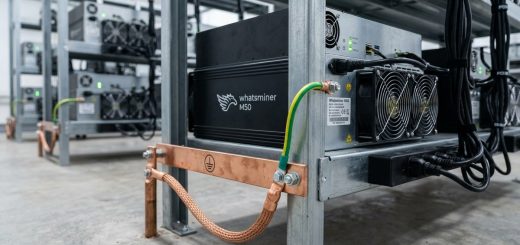
Choosing the right hardware specifications for your miners is crucial. Higher hash rate units like the Whatsminer M50 series or Antminer S19 XP can significantly impact your network’s bandwidth and power needs. Proper IP management complements hardware performance by ensuring consistent connectivity.
For detailed hardware specs, consult official datasheets or trusted review sources. Building an efficient network infrastructure reduces latency and downtime, which boosts mining profitability.
Building a Resilient Network for Your Mining Operation
Configuring static IPs and DHCP reservations is just part of a robust network. Consider these additional strategies:
- Use enterprise-grade routers with advanced DHCP features.
- Segment your network with VLANs for better security.
- Implement network monitoring tools that alert you to device disconnects.
- Regularly update firmware and review security settings.
Final Thoughts: Keep Your Mining Network Running Smoothly
Setting static IPs and DHCP reservations might seem technical, but it pays off by providing a stable environment for your mining hardware. Once configured, managing your farm becomes more straightforward. It reduces confusion, cuts downtime, and improves your ability to troubleshoot quickly.
Take the time to document your network setup thoroughly. As your farm grows, these practices will help you scale without falling into chaos. With a solid network foundation, your mining operation can run more efficiently and profitably.
Apply these network setup tips to keep your mining farm operating at its best
A well-organized network is a key piece of mining success. By assigning static IP addresses and DHCP reservations, you’re creating a stable environment that supports your hardware and management tools. Regularly review and update your network configurations as your operation expands. Good network hygiene now will save headaches down the line. Keep your mining farm connected and running smoothly by applying these simple yet powerful steps today.