First 24 Hours After Unboxing Your Whatsminer: A Complete Deployment Timeline
Thinking about unboxing your new Whatsminer device? It’s an exciting moment that marks the start of your mining journey. But knowing what to do during those first 24 hours can significantly impact your hardware’s longevity and performance. The unboxing and deployment process involves several key steps that, if followed carefully, help you set up efficiently and avoid common pitfalls. This guide walks you through a detailed timeline for deploying your Whatsminer, ensuring you get the most out of your investment right from the start.
Understanding the first 24 hours after unboxing your Whatsminer is crucial for optimal performance and hardware health. Following a structured deployment timeline ensures efficiency, prevents common mistakes, and sets a solid foundation for your mining operation’s success.
Charting the first 24 hours after unboxing a Whatsminer
Starting your crypto mining setup with clarity can save you time, money, and frustration. The initial hours are critical for hardware calibration, thermal management, and network configuration. By following a step-by-step timeline, you ensure your Whatsminer operates smoothly and efficiently. Let’s look at the typical deployment process broken into logical phases.
Step-by-step Whatsminer unboxing and deployment timeline
1. Unboxing and initial inspection
The journey begins with carefully opening your Whatsminer package. Check for any physical damage during shipping. Inspect the device for loose screws, damaged ports, or signs of mishandling. Verify that all accessories such as power supplies, cables, and mounting hardware are included and in good condition. It’s wise to consult the manufacturer’s manual or online guides for specific model features.
2. Hardware setup and placement
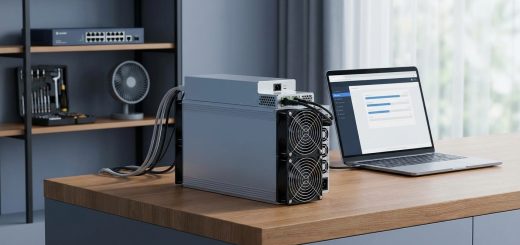
Choose a well-ventilated, cool location for installation. Keep the device on a stable surface away from direct sunlight or heat sources. Ensure proper airflow around the miner. If you’re deploying multiple units, plan your rack or space layout to optimize cooling and maintenance access. Secure the device with mounting brackets if necessary.
3. Power connection and initial boot
Connect the power supply securely to your Whatsminer and plug it into a dedicated power outlet. Use a surge protector to safeguard against voltage spikes. Power on the device and observe the startup sequence. During initial boot, the miner runs hardware diagnostics. Watch out for error messages or abnormal noise. If issues arise, consult troubleshooting guides or contact support.
4. Firmware check and updates
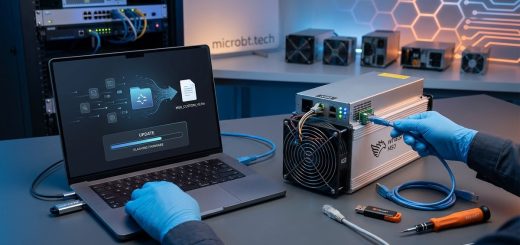
The first software step is verifying your firmware version. Manufacturers often release updates optimizing performance or fixing bugs. If your device runs outdated firmware, consider flashing the latest version. Follow the manufacturer’s instructions carefully to avoid bricking the unit. Some miners support remote firmware flashing via their web interface, simplifying the process.
Expert tip: Always backup your current firmware before flashing a new version. This way, if something goes wrong, you can revert quickly.
5. Network configuration
Connecting your Whatsminer to the internet is essential. Use an Ethernet cable for stability. Access the miner’s web interface through its IP address. Configure network settings to match your local network. Enter your mining pool details, worker credentials, and preferred protocols. Double-check these entries to prevent connection issues later.
6. Performance testing and hash rate verification
Once connected, monitor the device’s status. Check that it reports a stable hash rate consistent with manufacturer specifications. Run a short test to validate performance. Review temperature sensors, fan speeds, and power consumption. Ensure thermal conditions are within safe limits. During this phase, avoid overclocking until you’re confident the hardware runs smoothly.
7. Fine-tuning and thermal management
In the first 24 hours, monitor temperature fluctuations. Proper cooling prevents overheating and prolongs hardware lifespan. If temperatures are high, improve airflow or add cooling solutions. Consider using external fans or immersion cooling if your setup demands it. Regularly check fan operation and clean dust buildup.
8. Long-term monitoring and maintenance planning
Set up remote monitoring tools to track your miner’s health over time. Schedule routine checks for firmware updates, hardware cleaning, and thermal performance. Establish a maintenance plan to replace worn components early, such as power supplies or fans, to avoid downtime.
Common pitfalls to avoid during deployment
Deploying your Whatsminer isn’t just about plugging in and powering up. Several common mistakes can lead to reduced performance or hardware failure.
- Skipping firmware updates, which can cause compatibility issues.
- Poor placement leading to inadequate cooling.
- Using inadequate power supplies or outlets.
- Forgetting to set correct network parameters.
- Ignoring temperature and thermal management.
- Overclocking without proper testing.
Techniques and mistakes at a glance
| Technique / Mistake | Why it Matters | How to Avoid |
|---|---|---|
| Proper ventilation | Prevents overheating | Place in cool, ventilated area |
| Firmware updates | Ensures stability | Always update firmware through official sources |
| Secure power connections | Prevents power failures | Use surge protectors and check connections |
| Correct network setup | Maintains mining uptime | Double-check pool and network settings |
| Monitoring temperatures | Extends hardware lifespan | Use thermal sensors and cooling solutions |
| Overclocking | Boosts hash rate but risks damage | Test overclock settings gradually |
Practical tips for a smooth deployment
- Always read the manufacturer’s manual carefully.
- Use quality power supplies rated for the miner’s power draw.
- Keep spare parts like power cords and fans.
- Document your setup process for future reference.
- Join online forums or communities for real-world tips.
- Regularly review your miner’s performance stats.
Expert advice for first-time miners
“Patience during setup pays off. Rushing through initial configuration increases the risk of errors that could damage your hardware or reduce profitability. Take your time to verify each step, especially firmware and network settings.”
Maintaining your Whatsminer after the initial setup
The first 24 hours set the tone for your miner’s lifespan. Ongoing maintenance involves regular cleaning, firmware updates, and thermal management. Use remote monitoring tools to catch issues early. Keeping your hardware in optimal conditions translates into consistent performance and higher returns.
Final words for a successful mining journey
Getting your Whatsminer ready for operation requires attention to detail during those first critical hours. Follow a methodical deployment timeline, stay vigilant about thermal and network conditions, and avoid common mistakes. With proper planning, your mining hardware will perform reliably for years to come. Remember that patience and ongoing maintenance are key to long-term success in crypto mining.
Unlocking the full potential of your Whatsminer setup
Starting strong with a clear deployment plan helps you maximize your mining hardware’s performance. As you gain experience, you’ll refine your process and improve efficiency. Keep learning from the community, stay updated on firmware releases, and always prioritize hardware care. Your dedicated effort today will lead to more stable, profitable mining in the future.