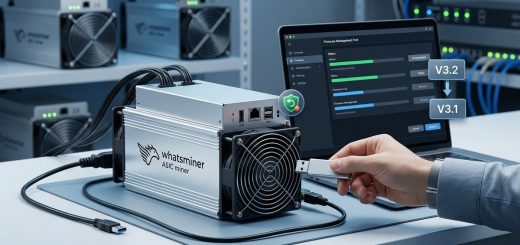
Why Your Whatsminer M50 Might Be Underclocked from the Factory and How to Fix It in Firmware
You unbox a brand new Whatsminer M50, plug it in, and watch the dashboard. The reported hashrate sits at 98 TH/s. The spec sheet says 100 TH/s. Not a huge deal, right? But then you notice something stranger. Your neighbor’s identical M50 runs at 102 TH/s on the same firmware, same pool, same ambient temperature. You start digging through the web UI and find a frequency setting that looks lower than it should be. Before you panic, understand this: your unit is not defective. It is running a conservative factory profile that MicroBT ships for safety and stability. The good news is that you can unlock the full potential with a few firmware adjustments.
This guide walks through why the M50 sometimes ships underclocked, how to check it, and the safest way to restore full hashrate without voiding your warranty. We will also cover when underclocking is actually a deliberate strategy that boosts profitability.
Why Would a Whatsminer M50 Ship Underclocked?
MicroBT tunes the M50 series from the factory to balance three things: heat, power draw, and silicon quality. Not every chip is identical. Even within the same batch, some chips handle higher frequencies with lower voltage, while others need a more conservative profile. To make sure every unit survives the warranty period, MicroBT sets a default frequency that works across the widest possible range of chips.
This is the same reason your phone or laptop does not always boost to maximum clock speed. The hardware is capable of more, but the factory profile prioritizes stability. For the M50, that means a small performance buffer sits on the table. Most operators never notice. But if you are running a farm with dozens of units, that buffer represents real hashrate you are leaving behind.
There is also the thermal angle. A brand new miner running in a warm environment will downclock itself to protect the boards. If you see lower hashrate during the hottest part of the day, that is the firmware doing its job. The fix is not always software. Sometimes it is airflow.
How to Check Whether Your Whatsminer M50 Is Underclocked
Before changing anything, you need a baseline. Log into the miner’s web interface and look for the frequency and voltage readings. The exact menu names vary depending on the firmware version, but you are looking for something like “Frequency” or “Chip Frequency” in the status or miner configuration section.
Here is what to check:
- Current frequency: Compare the reported value with the stock frequency for your model. For the M50 series, stock frequencies usually sit between 500 MHz and 650 MHz depending on the exact variant.
- Chip temperature: If the temperature is above 70°C, the firmware may be pulling clocks down. That is normal behavior, not a bug.
- Power draw: Check the reported wattage. If it is significantly below the model’s rated consumption, the firmware is likely running a lower power profile.
- Hashrate history: Look at the miner’s log for the past 24 hours. If hashrate is consistently below the rated value across all temperature ranges, you have a firmware or configuration issue.
You can also cross-reference your readings with how to benchmark your Whatsminer for real-world hashrate accuracy to make sure you are comparing apples to apples.
The Default Firmware Profile Is Not the Whole Story
Stock firmware from MicroBT is designed to be safe, not optimal. That is a deliberate choice. When you sell millions of units to customers with varying power quality, cooling setups, and electricity costs, you set a profile that works everywhere. The tradeoff is that most units can run faster without any loss in stability.
This is where custom firmware comes into play. Tools like Vnish and other third party options let you adjust frequency, voltage, and power limits with much finer control. Some of those custom firmware options for Whatsminer allow you to push the M50 beyond stock ratings. Others let you drop the power limit to reduce electricity costs. The right choice depends on your electricity rate and your risk tolerance.
If you want to keep things simple, you can also stay on stock firmware and manually adjust the frequency settings. MicroBT includes some tuning options in the stock web UI. They are just not as granular as what you get with custom builds.
Note: Always check the exact model number before flashing any firmware. The M50 series includes several variants with different chip configurations. Flashing the wrong version can brick your unit.
How to Restore Full Hashrate on Your Whatsminer M50
If you have confirmed that your unit is underclocked and you want to push it back to stock or beyond, here is a safe step by step process.
Step 1: Update to the Latest Official Firmware
MicroBT regularly releases firmware updates that improve stability and sometimes adjust default frequencies. Before you do anything else, make sure you are running the latest official version. You can find the current release on the Whatsminer firmware version history and compatibility page.
Step 2: Use the Built-In Tuning Mode
Most Whatsminer M50 units running recent firmware have a “tuning mode” in the configuration menu. This lets you select between performance, balanced, and efficiency profiles. If your unit is underclocked, switch to performance mode and monitor the hashrate for 24 hours.
Step 3: Try a Custom Firmware for Finer Control
If the stock tuning mode does not unlock the hashrate you want, consider flashing a custom firmware. The step by step guide to flashing custom firmware on your Whatsminer M50 series covers the process in detail. The short version is:
- Download the correct firmware for your exact model.
- Access the miner’s web UI.
- Upload the new firmware and wait for it to reboot.
- Verify the new frequency and hashrate.
Step 4: Monitor Temperature and Power Draw
After making any changes, keep a close eye on chip temperature and power draw for at least 48 hours. If the miner is running hotter than 75°C, you are pushing it too hard. The thermal management solutions for Whatsminer deployments guide can help you decide whether you need better airflow or more aggressive cooling.
When Underclocking Is Actually the Smart Play
Not every underclocked Whatsminer is a problem. In fact, running your M50 below its maximum rating can be more profitable than pushing it to the limit. This is counterintuitive, but the math is simple: electricity is your biggest operating cost. A small reduction in hashrate can lead to a much larger reduction in power draw. If you are paying $0.10 per kWh or more, the savings can outweigh the lost hashrate.
This is the core argument behind the overclocking vs underclocking profitability math. A miner running at 90% power might produce 95% of the hashrate while using 80% of the electricity. That is a better margin per terahash. Over a year, that difference adds up.
There is also the longevity angle. Running cooler and at lower power reduces thermal stress on the boards. That can extend the life of your miner by months or even years. If you plan to keep your hardware for the long term, undervolting your Whatsminer firmware can cut electricity costs by 20% while preserving most of the hashrate.
A Quick Comparison: Stock vs Tuned vs Underclocked
| Profile | Hashrate | Power Draw | Efficiency | Best For |
|---|---|---|---|---|
| Stock factory | 100 TH/s | 3,400 W | ~34 J/TH | Plug and play |
| Tuned performance | 105-110 TH/s | 3,700 W | ~35 J/TH | High electricity margins |
| Underclocked | 85-90 TH/s | 2,700 W | ~30 J/TH | High electricity costs |
| Custom firmware | 95-115 TH/s | 2,500-3,800 W | 28-36 J/TH | Flexible operations |
The sweet spot depends on your electricity rate. At $0.04/kWh, pushing the hardware harder makes sense. At $0.12/kWh, the underclocked profile is likely more profitable. Use a mining profitability calculator that accounts for real world variables to find your break even point.
Firmware Settings That Actually Matter
Beyond the frequency, there are a few other settings that affect whether your M50 runs at full speed:
- Voltage: Lower voltage reduces power draw but can cause instability if set too low. Most custom firmware lets you adjust this in millivolts.
- Fan speed: If your fans are not spinning up to maximum, the miner may be hitting thermal limits and downclocking. Check the fan curve in the firmware.
- Power supply: A weak or failing power supply can cause voltage dips that force the miner to reduce its frequency. Make sure your PSU can handle the load. The power supply failure warning signs guide covers what to look for.
Common Mistakes When Pushing Your Whatsminer M50
Let us cover a few pitfalls that trip up even experienced miners.
- Skipping the 48 hour stability test: Just because the miner reports a higher hashrate does not mean it is stable. Run it for two full days before trusting it.
- Ignoring ambient temperature: A miner that runs fine in March may crash in July. Recheck your settings when the seasons change.
- Using the wrong firmware for your model: The M50 series has multiple variants. Always verify the exact model number before flashing.
- Forgetting to update the pool configuration: Some custom firmware resets your pool settings. Double check after flashing.
If you run into trouble, the troubleshooting guide for Whatsminers that won’t hash at full speed walks through the most common causes and fixes.
Should You Use Custom Firmware at All?
Custom firmware is not for everyone. It adds risk, and if you are running a small operation with a single miner, the potential gain may not be worth the hassle. But if you are running a farm with dozens or hundreds of units, even a 5% hashrate improvement can have a real impact on your bottom line.
The stock vs custom firmware profitability calculator can help you decide whether the switch makes sense for your operation. Plug in your electricity rate, your current hashrate, and the expected gain from custom firmware. If the numbers work, it is worth considering.
That said, you do not need custom firmware to fix an underclocked M50. In many cases, a simple firmware update and a few adjustments to the stock settings are enough. Start there before you flash anything.
A Note on Warranty and Risk
Flashing custom firmware can void your warranty. MicroBT’s official position is that any third party firmware voids coverage. If your unit is still under warranty and something goes wrong, you may be stuck with a brick.
There is also the risk of a failed flash. If the power goes out mid-update, your miner may stop responding entirely. Always use a UPS and make sure you have a reliable connection before starting.
If you are careful, the risk is manageable. But it is not zero. Weigh the potential gain against the cost of replacing a bricked unit.
The Bottom Line on Underclocked Whatsminer M50 Units
A Whatsminer M50 that ships underclocked is not broken. It is running a conservative profile designed to ensure stability across a wide range of conditions. With the right firmware and tuning, you can unlock most of that lost performance. But you should also consider whether underclocking is actually costing you money or saving it.
For most miners in 2026, the answer is not a simple yes or no. It depends on your electricity rate, your cooling setup, and your tolerance for risk. Start by checking your current frequency and temperature. Compare those numbers against the stock specs for your model. Then decide whether you want to push the hardware or optimize for efficiency.
If you are running a large operation, it is worth the time to test both profiles on a single unit before applying changes across your whole fleet. That way you can see the real world impact on hashrate and power draw without risking your entire farm.
Tuning Your Whatsminer M50 Without Losing Sleep
The good news is that most M50 units have headroom. Whether you want to push for maximum hashrate or dial things back for efficiency, the firmware has the tools you need. Just take it slow, monitor your temperatures, and do not chase every last terahash if it means cooking your hardware.
If you are new to this, start with the official firmware and use the built in tuning modes. Once you are comfortable, explore custom firmware options. The guide to mastering firmware updates for Whatsminer devices is a good place to start.
And remember: a miner that runs at 95% capacity for three years is more profitable than one that runs at 105% for six months before dying. Find the balance that works for your operation.
Building a Tuning Routine That Lasts
Once you have your M50 dialed in, do not just set it and forget it. Make tuning part of your regular maintenance routine. Check the miner’s logs once a week. Look for any rejected shares or temperature spikes. If you are running custom firmware, keep an eye on the developer’s release notes for updates that may improve stability or add new features.
You should also track your electricity usage over time. A miner that was running at 3,400 W in January might be drawing more in July if the ambient temperature is higher. The smart power usage strategies for 2026 guide covers how to account for these seasonal changes.
Finally, do not be afraid to experiment. The worst that can happen is you have to reflash the stock firmware and start over. The best case is you find a setting that boosts your hashrate by 10% without increasing your power bill. That is the kind of win that makes a real difference to your bottom line.