Optimizing Your Whatsminer Setup for Maximum Profitability
Getting the most out of your Whatsminer equipment means more than just turning it on. It’s about fine-tuning your setup to squeeze every drop of performance and profitability. Whether you’re running a small farm or managing a large operation, optimizing your hardware setup is key to staying competitive and making your mining investment worthwhile.
Proper Whatsminer setup optimization involves hardware tuning, cooling, power management, and network configuration. Applying these strategies can significantly boost your mining efficiency, reduce costs, and increase overall profitability. Focus on fine-tuning each element to ensure your mining hardware operates at peak performance, helping you stay ahead in the competitive mining landscape.
Understanding the significance of Whatsminer setup optimization
Mining hardware like Whatsminer units are powerful tools, but their full potential is unlocked only when configured correctly. Proper setup impacts hashrate, energy consumption, and hardware longevity. Small adjustments can lead to big gains in daily revenue and long-term return on investment.
Optimizing your Whatsminer setup isn’t just about boosting performance. It also involves reducing operational costs and extending the lifespan of your equipment. This means understanding hardware specs, cooling solutions, power settings, and network configurations.
Key hardware specifications to consider
Before diving into optimization techniques, it’s important to know what your hardware offers. Each Whatsminer model varies in hashrate, power efficiency, and firmware features.
- Hashrate: Check your model’s rated hashrate. For example, a Whatsminer M60S offers around 186 TH/s. Confirm this with your device specifications to set realistic expectations.
- Energy efficiency: Look at the joules per terahash (J/TH). The lower the number, the more energy-efficient your miner is.
- Firmware options: Use the latest firmware versions to benefit from performance improvements and security patches.
Understanding these specs helps you identify where adjustments can have the most impact.
Practical steps to optimize your Whatsminer setup for profitability
Follow this structured process to fine-tune your mining operation:
- Configure hardware settings for optimal performance
- Implement effective cooling solutions
- Manage power consumption efficiently
- Tune network and pool settings
- Regular maintenance and firmware updates
- Monitor performance and adjust dynamically
1. Adjust hardware settings
Start by accessing your miner’s web interface. Most models allow firmware frequency tuning, voltage adjustments, and fan speed control.
- Firmware frequency tuning: Increasing frequency boosts hashrate but can elevate power consumption and heat. Find a balance by gradually overclocking and monitoring stability.
- Voltage management: Undervolting your miner can reduce power use without sacrificing performance. Be cautious and test stability after each change.
- Fan speed: Set fans to operate at higher speeds if temperature rises. Proper airflow prevents overheating and maintains efficiency.
“Expert miners recommend incremental adjustments combined with performance monitoring to avoid hardware stress and ensure consistent operation.”
2. Implement cooling solutions
Overheating is a common cause of reduced performance and hardware failure. Cooling strategies include:
- Using high-quality fans with variable speed controls.
- Installing additional fans or upgrading existing ones.
- Considering immersion cooling if your operation is large enough.
- Ensuring proper airflow within your mining space.
Avoid blocking airflow paths or running miners in confined spaces. Proper cooling maintains steady hashrate levels and prolongs component lifespan.
3. Power management strategies
Energy costs are a major expense. To optimize:
- Use Power Usage Effectiveness (PUE) metrics to identify waste.
- Implement smart power supplies and automatic shutdowns for idle units.
- Overclock only if your power supply can handle the increased load.
- Regularly check power cords and connections for efficiency.
4. Fine-tune network and pool configurations
A stable, low-latency connection to your mining pool improves profitability:
- Use wired Ethernet connections over Wi-Fi.
- Assign static IP addresses for consistent network stability.
- Enable failover options in case of pool outages.
- Choose pools with lower fees and reliable payout structures to maximize returns.
5. Firmware updates and custom firmware options
Keeping firmware current unlocks performance improvements. Some miners benefit from custom firmware that offers:
- Enhanced overclocking capabilities.
- Better temperature management.
- Additional security features.
Note: Always back up current firmware before flashing custom options to avoid bricking your units.
6. Regular maintenance and monitoring
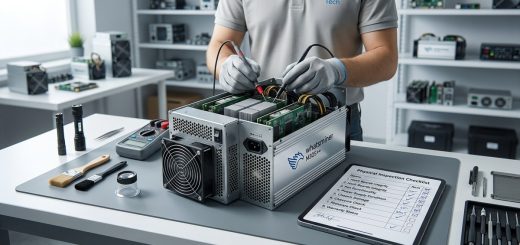
Set up remote monitoring tools to keep track of temperature, hashrate, and error logs. Routine cleaning of dust and inspecting hardware prevents unexpected failures.
“Proactive maintenance and performance tracking help identify issues early, saving costs and uptime losses.”
Common pitfalls and mistakes to avoid
| Technique | Mistake | Consequence | How to prevent |
|---|---|---|---|
| Overclocking | Pushing frequency too high | Hardware crashes, shorter lifespan | Incrementally increase frequency, monitor stability |
| Cooling | Inadequate ventilation | Overheating, reduced hashrate | Regularly check airflow, upgrade cooling as needed |
| Power settings | Excessive undervolting | Instability, lower performance | Find a balance through testing and gradual adjustments |
| Firmware | Skipping updates | Security risks, missing improvements | Keep firmware up to date, verify compatibility |
| Network | Using Wi-Fi | Unstable connections | Use wired Ethernet for reliability |
Expert advice for maximum profitability
“The key to profitable mining lies in consistent fine-tuning. Regularly review your setup, keep firmware updated, and don’t hesitate to experiment carefully with overclocking and cooling. Small improvements can lead to significant gains over time.”
Monitoring and adjusting your setup for ongoing gains
Mining isn’t a set-it-and-forget-it activity. Use remote management tools to track real-time data:
- Hashrate fluctuations
- Temperature spikes
- Power consumption
Adjust your settings based on data. During periods of high electricity rates, reduce power draw. When electricity is cheap, consider overclocking cautiously.
Final thoughts: make your setup work for you
Optimizing your Whatsminer setup for profitability is a continuous process. It requires patience, careful monitoring, and willingness to tweak settings. Small improvements in cooling, power management, and firmware tuning add up. The goal is to create a stable, efficient environment that maximizes your hardware’s potential.
Take the time to review each element of your mining operation regularly. Applying these techniques can turn your mining hardware into a more profitable, sustainable venture. Keep learning and adapting as technology and market conditions evolve. Your efforts today can lead to better margins tomorrow.
Keep refining your mining setup for consistent success
Mining profitability hinges on how well your hardware operates. Staying proactive with setup adjustments can help you stay ahead. With patience and attention to detail, you can unlock the full earning potential of your Whatsminer fleet. Keep experimenting, stay informed about firmware updates, and maintain your cooling and power systems. Your mining operation will thank you with steady, increased profits.