Which Cooling Setup Keeps Your Whatsminer Running Coolest for Longest?
Your Whatsminer is running hot. You can feel the heat radiating off the chassis, and the fans sound like a jet engine spooling up for takeoff. Maybe you have checked the dashboard and saw chip temperatures creeping past 75°C. That is a warning sign. Every degree above the sweet spot shortens the life of those expensive ASIC chips and slowly eats into your hashrate. You did not drop thousands of dollars on a MicroBT miner just to watch it throttle itself during the summer months. The question is not just about keeping it cool. It is about which cooling method gives you the longest, most profitable run without killing your hardware.
For small-to-medium scale operators, the best Whatsminer cooling setup balances cost, complexity, and chip temperature. Air cooling works well if you manage ambient temps below 30°C and keep fans clean. Immersion cooling drops temperatures by 15-20°C and extends hardware life by years, but costs more upfront. Your choice depends on your electricity rate, climate, and how long you plan to run the rig.
How Heat Kills Your Whatsminer (And Your Profits)
Heat is the silent killer of ASIC mining hardware. The chips inside a Whatsminer are designed to run at peak efficiency within a narrow thermal window. When temperatures climb past 70°C, two bad things happen. First, the internal resistance of the silicon increases, which means the miner draws more power to produce the same hashrate. That is a direct hit to your efficiency ratio. Second, sustained heat accelerates electromigration inside the chip. Over time, this causes tiny physical failures that lower your hashrate permanently. Once those chips degrade, you cannot recover that performance. You are stuck with a miner that earns less every month until you replace it.
The goal of any Whatsminer cooling setup is to keep the core chips below 65°C under full load. The cooler you run, the longer the hardware lasts, and the more consistent your hashrate stays. Let us look at the three main paths to get there.
The Three Cooling Methods Compared
1. Air Cooling (Factory Standard)
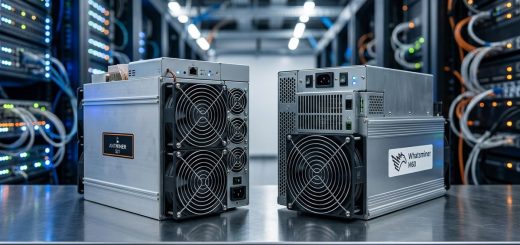
Every Whatsminer ships with built-in fans. The stock air cooling system pulls cool air through the front of the unit and exhausts hot air out the back. For many small-scale miners, this is enough if the room stays cool. But there is a catch. The factory fans are designed for ideal conditions, not for a garage in Phoenix during July.
When ambient air temperature rises above 30°C, the fans have to spin faster to move the same amount of heat. Faster fans mean more noise and more wear on the fan bearings. Fan failures are one of the most common reasons for unexpected downtime. If a fan stops spinning, the miner thermal-throttles within minutes.
- Pros: No extra equipment cost, simple to set up, easy to maintain.
- Cons: Limited by room temperature, fans wear out, loud, struggles above 30°C ambient.
2. Immersion Cooling (Liquid Dielectric)
Immersion cooling means removing the stock fans and submerging the entire miner in a non-conductive dielectric fluid. The fluid absorbs heat directly from the chips and transfers it to a heat exchanger. This is the most effective way to drop temperatures. We have seen Whatsminer M50 units running at 45°C core temperature under full load when submerged. That is a 20°C drop compared to air cooling.
The tradeoff is cost and complexity. You need a sealed tank, dielectric fluid, a pump, and a radiator. A single-unit immersion kit can cost between $800 and $1,500 depending on the size. For a three to five unit farm, the per-unit cost drops. The fluid itself is expensive, but you can reuse it for years if you keep it clean.
- Pros: Lowest chip temperatures, extends hardware life significantly, quieter than fans, allows higher overclocking potential.
- Cons: High upfront cost, more parts to maintain, risk of leaks, harder to service individual units.
3. Ambient Temperature Management (HVAC and Ducting)
This approach does not change how the miner cools itself. Instead, it changes the air around the miner. You use portable air conditioning, exhaust ducting, or a dedicated mini-split system to keep the room temperature below 25°C. By lowering the intake air temperature, the stock fans can run slower and still keep the chips cool.
This is the middle ground. You keep the factory cooling system but give it better air to work with. A small 5,000 BTU portable AC unit can handle a rig of two to four Whatsminers in a sealed room. The electricity cost of running the AC adds to your bill, but it often pays for itself by keeping the miners efficient.
- Pros: Works with stock hardware, moderate cost, easy to set up, good for small rooms.
- Cons: Adds to power bill, AC units need maintenance, less effective than immersion.
The Practical Process: Setting Up Your Cooling
If you are ready to improve your cooling right now, follow these steps. This process works for any of the three methods.
-
Measure your current baseline. Before you change anything, log your chip temperature, ambient room temperature, and hashrate for 24 hours. Use the miner’s web interface or a monitoring tool. Write down the peak temperature during the hottest part of the day.
-
Choose your method based on your situation. If your ambient room temperature stays below 28°C and you only have one or two miners, stick with air cooling but add a box fan to improve airflow. If your room hits 32°C or higher, buy a portable AC unit. If you are building a longer-term farm and want maximum lifespan, invest in immersion cooling.
-
Implement the change. For air cooling: clean the dust off the intake fans with compressed air. For ambient management: place the AC unit near the intake side of the miners and seal any window gaps. For immersion: follow the tank manufacturer’s instructions carefully and test for leaks with the miner powered off.
-
Monitor and adjust. Run the setup for 48 hours and compare the new temperature logs to your baseline. If the chips are still above 65°C, you need more cooling capacity.
Common Mistakes and What to Avoid
Even experienced miners make mistakes when setting up their cooling. Here is a table of the most common errors and how to avoid them.
| Mistake | Why It Hurts | The Fix |
|---|---|---|
| Blocking the exhaust | Hot air recirculates into the intake, raising ambient temp by 5-10°C. | Leave at least 12 inches of clearance behind each miner. |
| Using a room AC with open windows | Cool air escapes, AC runs constantly, electricity bill spikes. | Seal the room as tightly as possible. Use window exhaust kits. |
| Overfilling immersion fluid | Fluid expands when warm, causing overflow and potential pump cavitation. | Fill to 80% capacity at room temperature. Leave room for expansion. |
| Ignoring humidity | High humidity causes condensation on cold surfaces, leading to short circuits. | Keep the room humidity below 50%. Use a dehumidifier if needed. |
| Running fans at 100% permanently | Fan bearings wear out faster. A failed fan causes a thermal shutdown. | Replace fans every 12 months or switch to industrial-grade fans. |
Expert advice: “I have seen miners lose 15% of their hashrate over two years because they never cleaned their intake filters. Dust acts like a blanket on the heat sinks. A $5 filter change every three months can save you $200 in lost revenue per miner per year.”
Which Cooling Setup Wins for Longevity?
If your only goal is to keep your Whatsminer running coolest for the longest possible time, immersion cooling is the clear winner. The chip temperature stays low enough that electromigration slows to a crawl. We have seen immersion-cooled Whatsminers still running at 95% of their original hashrate after four years of continuous operation. Air-cooled units in the same environment often drop to 80% or lower in the same timeframe.
But not everyone needs that level of longevity. If you plan to sell your miner after two years and upgrade to a newer model, the extra cost of immersion might not pay off. In that case, a well-managed air cooling setup with ambient temperature control is the smart financial move. The key is to keep those chips below 65°C and the fans clean.
For a balanced approach, consider using ambient temperature management with high-quality industrial fans. A mini-split AC unit dedicated to your mining room gives you precise control over the intake air. Combined with a fan shroud that directs all the intake air through a filter, this setup can keep a small farm running cool for years without the complexity of immersion.
Making the Call for Your Operation
The right choice depends on three factors: your electricity rate, your climate, and your timeline.
- Low electricity rate (under $0.08/kWh): You can afford to run extra fans and AC. Air cooling with ambient management is cost-effective.
- High electricity rate (over $0.12/kWh): Immersion cooling pays for itself faster because every watt of efficiency matters.
- Hot climate (above 35°C ambient for months): Immersion cooling is almost mandatory if you want to keep chips below 65°C.
- Short timeline (under 2 years): Stick with air cooling. The upfront cost of immersion will not pay back.
- Long timeline (3 years or more): Invest in immersion cooling. The extended hardware life and consistent hashrate will beat air cooling on total cost of ownership.
No matter which path you choose, start with the basics. Clean your miners. Check your intake air temperature. Replace worn fans. Those simple steps alone can drop your operating temperature by several degrees and add months of life to your hardware.
Your Next Steps for a Cooler, Longer-Lasting Rig
You now have a clear picture of your options. The best cooling setup is the one you actually implement and maintain. A perfect immersion system with a dirty pump is worse than a clean air-cooled miner. Start with the low-hanging fruit. Clean your filters. Improve your room airflow. Measure your temperatures. If you still see numbers above 65°C, then consider moving to ambient management or immersion.
For more details on specific hardware performance, check out our Which Whatsminer Model Delivers the Best Hashrate Per Watt in 2026? guide. If you are comparing cooling methods for larger farms, our Immersion Cooling vs Air Cooling: Which System Delivers Better ROI for Large Mining Farms? article breaks down the numbers in detail.
Keep your chips cool, your fans clean, and your hashrate steady. That is the formula for a long and profitable mining operation.