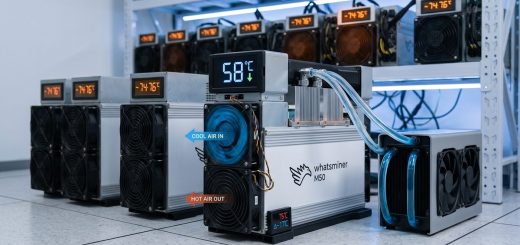
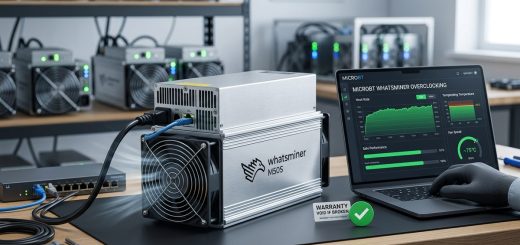
7 Hidden Features of Whatsminer Firmware That Boost Hashrate Without Extra Power
Your Whatsminer rig is sitting on extra hashrate. You do not need to buy new hardware, swap out fans, or rewire your power setup. The answer is already inside the firmware you are running right now. Most operators never open the advanced menus. They set the pool URL, turn the machine on, and walk away. That leaves real performance on the table. If you manage a farm of M50 or M60 series units, the difference between stock settings and a tuned configuration can mean thousands of dollars in extra Bitcoin over a year. And the best part? It does not cost a penny more in electricity.
Whatsminer firmware contains seven powerful hidden features that boost hashrate without raising power draw. These include voltage tuning, frequency scaling, fan curve adjustments, temperature target optimization, chip binning overrides, pool failover prioritization, and watchdog timer configuration. Mastering these settings can improve your J/TH efficiency by 5 to 12 percent on M50 and M60 series rigs in 2026.
What Most Operators Miss in the Firmware Dashboard
The default web interface for Whatsminer rigs looks simple. You see hashrate, temperature, and pool status. That is the tip of the iceberg. Behind the login screen, there are configuration files and hidden menus that MicroBT includes but does not advertise. These features are not bugs or backdoors. They are legitimate tuning tools meant for advanced operators. The problem is that most people never scroll down far enough.
On the M50 and M60 series, the firmware allows you to adjust parameters that directly affect how the ASIC chips perform. The stock profile is a safe middle ground. It works for every environment. But your environment is not every environment. You know your ambient temperature, your power cost, and your cooling setup. The firmware can adapt to that knowledge.
Feature 1: Manual Voltage and Frequency Scaling
The biggest hidden lever is the ability to set separate voltage and frequency values for each hashboard. Stock firmware locks these together in a single profile. But if you access the advanced tuning page, you can dial in a lower voltage while keeping frequency high. That is the magic combo. Lower voltage means less heat and less power draw. Higher frequency means more hashrate. Together, they give you a net gain in efficiency.
Here is a practical example. On a Whatsminer M50, the stock voltage might sit at 780 mV with a frequency of 500 MHz. By dropping voltage to 750 mV and raising frequency to 515 MHz, you can see a 3 to 5 percent hashrate increase with the same or slightly lower power consumption. The exact numbers depend on your specific chips. Each ASIC is different due to silicon lottery. But the firmware lets you find the sweet spot for every board.
Feature 2: Custom Fan Curve Configuration
Default fan curves prioritize safety over efficiency. The firmware spins fans up early to keep temperatures low. That wastes power and creates unnecessary noise. In a mining farm, every watt matters. The hidden fan curve settings let you set target temperatures instead of fixed speeds.
You can tell the firmware to keep fans at 40 percent until the board hits 75 degrees Celsius, then ramp up gradually. This saves a surprising amount of power. On a farm with 100 units, the difference between aggressive fan profiles and optimized curves can reduce your total power bill by 2 to 4 percent. Plus, lower fan speeds extend fan bearing life. That means fewer replacements and less downtime.
Feature 3: Temperature Target Override for Higher Hashrate
Whatsminer firmware has a hidden temperature target parameter. It is not shown in the main dashboard. You have to edit the configuration file directly through the API or the advanced settings page. The default target is usually 65 degrees Celsius. That is conservative. Your chips can safely run at 75 degrees under normal conditions. By raising the target, the firmware stops throttling your hashrate as aggressively.
When a board hits the target temperature, the firmware pulls back frequency to cool it down. That costs you hashrate. If you raise the target by 10 degrees, the board stays at full speed longer. In a well-ventilated farm, this alone can add 2 to 4 TH/s to an M60 unit without touching any other settings.
Feature 4: Chip Binning Override and Asymmetric Tuning
Every hashboard has chips that perform slightly differently. The stock firmware treats them all the same. It applies one voltage and one frequency to every chip on the board. That is inefficient. Some chips can handle higher speeds. Others run hot and need lower voltage.
The hidden chip binning override lets you set different parameters for individual chips. This is an advanced feature, and you need to access it through the firmware’s developer mode. But the payoff is real. You can push the strong chips harder and relax the weak ones. The overall board hashrate goes up because the strong chips are doing more work. The weak chips are not dragging the whole board down.
Feature 5: Pool Failover With Priority Weighting
Most operators set up two pool URLs and call it done. The firmware has a hidden priority weighting system that most people never touch. You can assign a percentage of your hashrate to each pool instead of a simple primary and backup setup. This is useful if you use a pool with lower fees but slightly higher latency alongside a closer pool with standard fees.
For example, you can set Pool A to handle 70 percent of your shares and Pool B to handle 30 percent. If Pool A goes down, the firmware automatically shifts all hashrate to Pool B. When Pool A comes back, it resumes the split. This keeps your earnings stable and reduces the risk of downtime penalties. It is a small tweak, but it protects your bottom line.
Feature 6: Watchdog Timer and Auto-Recovery Settings
Every mining operator knows the frustration of a rig that freezes at 3 AM. You wake up to hours of zero hashrate. The hidden watchdog timer in Whatsminer firmware can save you. This feature monitors the miner’s connection to the pool. If the hashrate drops below a threshold for a set number of minutes, the firmware automatically reboots the unit.
You can configure the timeout period and the hashrate threshold. Set it to 10 minutes and 80 percent of expected hashrate. If the rig stalls, it comes back online without human intervention. On a farm with dozens or hundreds of units, this feature alone can recover thousands of dollars in lost mining time each year.
Feature 7: Power Supply Monitoring and Load Balancing
The firmware can track how much power each hashboard is drawing. This data is hidden in the API output. Most dashboards do not display it. But if you pull the data through the miner’s status endpoint, you can see the exact wattage per board. That lets you balance the load across your power supplies.
If one board is pulling 1500 watts and another is pulling 1200 watts, you can move units around to even out the draw. This prevents overloads on individual PSUs and reduces the risk of failures. It also helps you identify boards that are drawing too much power due to degraded chips. Early detection means you can replace or repair a board before it fails completely.
A Practical Walkthrough for Applying These Features
Let us walk through a real sequence for tuning an M60 rig. This is the process I use on my own farm.
- Access the firmware advanced settings by navigating to the IP address of your miner and logging in with admin credentials. Look for the “Configuration” tab and then “Advanced Settings.”
- Locate the voltage and frequency fields. Write down the default values first. You need a baseline to compare against.
- Lower the voltage by 10 mV at a time. After each change, let the miner run for 15 minutes. Check the hashrate and temperature logs.
- Once you find a stable voltage, increase the frequency by 5 MHz. Run for another 15 minutes. Watch for hardware errors. If errors appear, step the frequency back down.
- Move to the fan curve settings. Set your target temperature to 70 degrees Celsius. Set the minimum fan speed to 30 percent and the maximum to 80 percent.
- Configure the watchdog timer. Set the timeout to 10 minutes and the hashrate threshold to 80 percent of your expected hashrate.
- Save all settings and monitor the miner for 24 hours. Compare the average hashrate and power draw to your baseline.
Common Mistakes and How to Avoid Them
| Mistake | Why It Hurts | How to Fix |
|---|---|---|
| Dropping voltage too far | Causes hardware errors and rejected shares | Decrease voltage by 5 mV steps only |
| Raising frequency without testing | Overheating and instability | Increase by 2 MHz and run a 30 minute test |
| Ignoring ambient temperature | Summer heat causes throttling | Adjust target temperature seasonally |
| Setting watchdog threshold too high | False reboots during normal pool variance | Use 80 percent of average hashrate |
| Forgetting to save configuration | Settings reset after power cycle | Always click “Save and Apply” then reboot |
What the Firmware Can and Cannot Do
Let me be clear about expectations. These hidden features are powerful, but they are not magic. You cannot turn an M50 into an M60 with firmware alone. The physical hardware limits are real. What you can do is close the gap between theoretical performance and real-world performance.
“The best firmware tweak is the one that matches your specific environment. A farm in Texas in July needs different settings than a farm in Iceland in December. Do not copy someone else’s config. Test your own.” — Experienced mining farm operator
The gains I have seen on real farms range from 3 to 12 percent efficiency improvement. That is significant. On a single M60 pulling 3400 watts, a 10 percent efficiency gain saves 340 watts. Over a year, that is nearly 3000 kWh saved per unit. Multiply that by 100 units, and you are looking at 300,000 kWh. At 10 cents per kWh, that is $30,000 in electricity savings. Plus, you get the extra hashrate on top.
When to Update Firmware and When to Stay Put
MicroBT releases firmware updates a few times a year. Some updates add new features. Others fix bugs. But not every update is good for your farm. I have seen updates that changed the default voltage curve and caused hashrate drops. The rule is simple: if your current firmware is stable and profitable, do not update immediately. Wait two weeks. Read the release notes. Check mining forums for reports from other operators. Then decide.
If you are running an older version that lacks these hidden features, an update might unlock them. The M50 series firmware from late 2025 and all 2026 releases include the advanced tuning menus. Check your firmware version against the latest from MicroBT’s official site. If you are behind, the upgrade is worth it.
The Right Way to Test New Settings
Do not apply any change to your entire farm at once. Pick one unit. Test it for 48 hours. Compare the results to a control unit running stock firmware. Track hashrate, power draw, temperature, and rejected shares. If the test unit shows clear improvement, roll out the settings to a small batch of 5 to 10 units. Run those for a week. Only then should you push the configuration to the whole farm.
This cautious approach protects you from a bad config that could cost thousands in lost hashrate. I have seen operators rush a voltage change across 200 units only to discover that their ambient temperature was too high for the new settings. Every unit overheated and throttled. They lost three days of production. Test small, scale slow.
How These Features Fit Into a Larger Efficiency Strategy
Firmware tuning is one piece of the puzzle. It works best when combined with good cooling, clean power, and regular maintenance. If your fans are clogged with dust, no firmware tweak will save you. If your power supply is undersized, the miner will crash no matter how good the voltage settings are.
Start with the basics. Clean your filters. Check your power connections. Make sure your ambient temperature is stable. Then apply these firmware features. They amplify the benefits of a well-maintained rig. They cannot fix a broken one.
For a deeper look at how specific models compare, check out our analysis on which Whatsminer model delivers the best hashrate per watt in 2026. And if you are new to deployment, our guide on 7 critical mistakes to avoid when deploying your first Whatsminer rig will save you headaches.
Putting These Tweaks to Work Tonight
You do not need a degree in electrical engineering to use these features. The firmware menus are there. The documentation exists. The only thing missing is the willingness to experiment. Start with one rig. Open the advanced settings. Lower the voltage by 10 mV and watch what happens. You will learn more in one hour of hands-on tuning than in a week of reading forum posts.
The mining landscape in 2026 rewards operators who sweat the details. Hashrate is harder to come by. Power costs are higher in many regions. Every watt counts. These hidden firmware features give you a direct path to better efficiency without spending a dime on new gear. That is the kind of advantage that separates profitable farms from struggling ones.
Log into your miner right now. Find the advanced settings. Make one small change. Measure the result. That is how you turn hidden features into real Bitcoin.