How to Diagnose and Fix a Whatsminer That Won’t Hash at Full Speed
You plug in your Whatsminer, check the dashboard, and your heart sinks. Instead of the 110 TH/s you expect from your M30S++, the dashboard shows 68 TH/s. Or maybe your M50 is bouncing between 80 and 100 TH/s when it should hold a steady 126. Every lost terahash is lost revenue. And in 2026, with mining margins tighter than ever, you cannot afford to leave performance on the table.
The good news? Most slowdowns are fixable. You do not need to be an electrical engineer or send the unit back to MicroBT. You just need a clear, repeatable process. This guide walks you through every common cause of a Whatsminer not hashing at full speed, from thermal throttling to bad firmware, and gives you the exact steps to restore peak performance.
A Whatsminer that runs below its rated hash rate is almost always caused by one of five issues: excessive heat, unstable power delivery, bad firmware configuration, a failing hash board, or network problems. You can diagnose each one using the miner’s built-in web interface. Most fixes cost nothing and take under 30 minutes. If you need to replace a PSU or a hash board, the investment still pays for itself within weeks at current Bitcoin prices.
Start With the Dashboard: What Your Whatsminer Is Telling You
Before you touch a single cable, open your Whatsminer’s web interface. Type the miner’s IP address into your browser. Log in with your admin credentials. The main status page shows you everything you need to start your diagnosis.
Look at these three numbers first:
- Hashrate (Real-time) : This is what the miner reports right now. Compare it to the rated speed for your model.
- Temperature: Each hash board should be between 55 and 75 degrees Celsius under normal load. Anything above 80 is a red flag.
- Hardware Error Rate: This appears as a percentage or a raw count. An error rate above 1% means something is physically wrong.
If your temperature is high, you found your culprit. If the error rate is spiking, you likely have a failing chip or power issue. If both look normal but hash rate is still low, move to the firmware and network checks.
The Five Main Culprits Behind Low Hashrate
Here is a breakdown of what typically causes a Whatsminer not hashing at full speed. Each cause has its own fix.
| Symptom | Likely Cause | Fix Priority |
|---|---|---|
| Hashrate drops during midday, recovers at night | Thermal throttling due to high ambient temps | 1. Improve airflow or reduce intake temp |
| Hashrate is stable but 10-20% below rated | Wrong frequency or power mode in firmware | 2. Check firmware settings and reset to defaults |
| Hashrate jumps up and down erratically | Unstable power supply or loose cables | 3. Inspect PSU and all power connections |
| One hash board shows 0 TH/s or very low | Failed hash board or bad ribbon cable | 4. Reseat cables, then test board individually |
| Miner is online but pool rejects many shares | Network latency or pool configuration error | 5. Ping your pool, check stratum settings |
Step 1: Fix Thermal Throttling Before Anything Else
Heat is the number one reason a Whatsminer stops hashing at full speed. The ASIC chips on your hash boards have a built-in safety mechanism. When the junction temperature hits around 85 to 90 degrees Celsius, the firmware automatically cuts the frequency. You lose hash rate to save the hardware.
Check your ambient intake temperature. If the air going into the miner is above 40 degrees Celsius, you are fighting a losing battle. In the middle of a US summer, a garage or shed can easily hit 50 degrees. That will throttle any air-cooled miner.
What to do:
- Measure the temperature at the intake fans with a thermometer.
- If intake air is above 40 degrees, you need to cool the room or move the miner.
- Clean the dust off the heat sinks and fans. Compressed air works well. Do this every 60 days if your environment is dusty.
- Make sure there is at least 6 inches of clearance on the intake and exhaust sides.
- Check that all fans are spinning. A dead fan means immediate overheating.
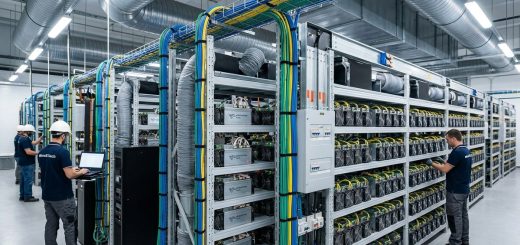
If you run a larger farm, consider whether your cooling infrastructure is adequate for 2026’s higher-density machines. For more on this, check out our guide on cooling solutions that drop Whatsminer operating temperatures by 15+ degrees.
Expert advice: A 5 degree drop in intake temperature can recover 8 to 12 percent of lost hashrate on an M30 series. Do not underestimate the impact of simple airflow improvements.
Step 2: Verify Your Firmware and Frequency Settings
Your Whatsminer’s firmware controls the voltage and frequency sent to the hash boards. If someone changed these settings, or if you flashed a custom firmware that is not tuned correctly, your miner will not hit its rated speed.
What to check:
- Log into the web interface and go to the Miner Settings or Configuration page.
- Look for a field labeled Frequency or Freq. For stock firmware on an M30S++, this should be around 650 to 680 MHz depending on the exact revision. For an M50 series, it is usually in the 700 to 750 MHz range.
- If the frequency is set lower than stock, that is your problem. Someone underclocked the miner intentionally or by accident.
- Reset the firmware to factory defaults. There is usually a button for this in the admin menu.
When to update firmware:
Sometimes the issue is a buggy firmware version. MicroBT releases updates that fix performance problems. Before you update, read our article on mastering firmware updates for Whatsminer devices to boost performance. A bad update can cause more problems than it solves.
If you use custom firmware like Vnish or Hiveon, ensure you are running a profile matched to your exact model. Running an M30 profile on an M50 board will give you terrible results. Also, check if your custom firmware has a power limit setting that is capping your hash rate.
Step 3: Inspect Power Delivery From Wall to Board
A Whatsminer that is not hashing at full speed often has a power supply that cannot deliver stable voltage under load. This is especially common with used PSUs or units running on undersized wiring.
What to look for:
- Use a multimeter to measure voltage at the PSU terminals while the miner is running. You want 12.0 to 12.3 volts DC. Anything below 11.8 volts under load means the PSU is struggling.
- Check all PCIe power connectors. Burn marks, melted plastic, or loose pins are immediate failure signs.
- Make sure your PSU is rated for the miner’s power draw. An M50 series draws around 3400 watts. If you are running it on a single 3500 watt PSU, you have zero headroom. That is risky.
The fix:
Replace a failing PSU immediately. A cheap PSU can damage your hash boards. If you run multiple units, consider dedicated circuits. Our guide on building the perfect power infrastructure for multi-ASIC deployments covers this in detail.
Step 4: Isolate a Failing Hash Board
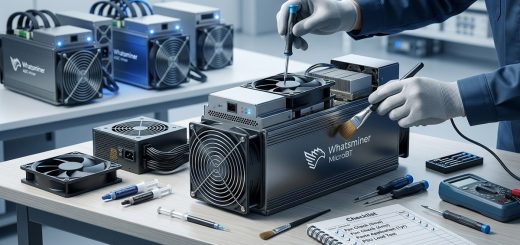
If your hash rate is low and one board shows significantly lower numbers than the others, that board is likely failing. You can confirm this by swapping the data ribbon cable with a working board. If the problem follows the cable, replace the cable. If the problem stays with the board, the board itself has failed.
Signs of a failing hash board:
- That board shows 0 TH/s while others run normally.
- The board temperature is much higher or lower than the others.
- The board has a high hardware error rate (above 5%).
- The miner crashes or reboots when that board is active.
You can disable a bad hash board in the firmware settings to keep the rest of the miner running. This is a temporary fix. You will lose 25 to 33 percent of your total hash rate depending on how many boards your model has. But it beats having the whole miner offline.
For a permanent fix, you will need to replace the hash board. If you are considering upgrading anyway, compare your current model against newer options. Our Whatsminer M50 vs M30S++ profitability showdown can help you decide whether to repair or replace.
Step 5: Rule Out Network and Pool Issues
Sometimes the miner is hashing fine, but the pool does not see the full speed. This happens because of high latency, incorrect pool configuration, or a firewall throttling the connection.
How to test:
- Ping your mining pool’s stratum server from the miner or a computer on the same network. Latency above 100 milliseconds will cause stale shares and reduce your effective hash rate.
- Check that you are using the correct stratum URL and port for your pool. A wrong port can limit your connection speed.
- If you use a VPN or proxy, disable it temporarily and test again. Some VPNs add significant overhead.
The fix:
Switch to a pool server closer to your geographic location. If you are in the United States, use a US-based stratum server instead of one in Europe or Asia. Also, check our guide on how to configure mining pool failover and backup strategies to ensure you always have a low-latency connection.
Common Mistakes That Waste Your Time
I have seen miners waste hours chasing the wrong problem. Here are the mistakes to avoid:
- Replacing hash boards before checking PSU voltage.
- Blaming the miner when the ambient room temperature is 45 degrees.
- Flashing new firmware without first resetting to factory defaults.
- Ignoring the hardware error rate and only looking at hash rate.
- Using extension cords or daisy-chained power strips for high-wattage miners.
When to Call a Professional
Some problems require hands-on repair. If you have checked all five steps above and your Whatsminer is still not hashing at full speed, you may have a damaged control board or a short on the main PCB. These repairs require soldering skills and a multimeter. Attempting them without experience can destroy the miner.
In that case, contact a reputable repair service or consider replacing the unit. If you are in the market for new hardware, check our top 5 MicroBT Whatsminer models for max profitability in 2026 to see what fits your operation.
Putting Your Whatsminer Back to Full Speed
A Whatsminer not hashing at full speed is almost never a mystery. It is heat, power, firmware, hardware failure, or network latency. You now have a clear checklist to run through. Start with the dashboard, check temperatures, verify your firmware settings, inspect the PSU, test each hash board, and confirm your pool connection.
Most fixes take less than an hour and cost nothing but your time. For the ones that require new parts, the investment pays for itself in recovered hash rate. Your miner is a money-making machine. Keep it running at its rated speed, and your bottom line will thank you.