7 ASIC Miners That Are Quiet Enough for Home Use in 2026 (Without Sacrificing Profit)
You want to mine crypto at home. You also want to keep the peace with your roommate, partner, or family. That is a real trade-off in 2026. Many ASIC miners sound like a vacuum cleaner running 24/7. But you do not have to choose between a good return and a quiet home. The right hardware can deliver both.
A quiet ASIC miner for home use in 2026 is not a myth. Models like the Whatsminer M50 series and the Avalon A1566 prove you can mine profitably at noise levels below 40 dB. Focus on efficiency (J/TH) and fan design, not just raw hashrate. A well-chosen miner in a basement or closet can earn strong returns without disturbing anyone.
Why Noise Matters for Home Miners
Living in an apartment or a shared house means you have neighbors close by. A miner running at 75 dB will cause complaints. It will also make it hard to sleep, watch TV, or have a conversation in the next room. Noise is not just a courtesy issue. It can limit where you can place your rig and how many units you can run.
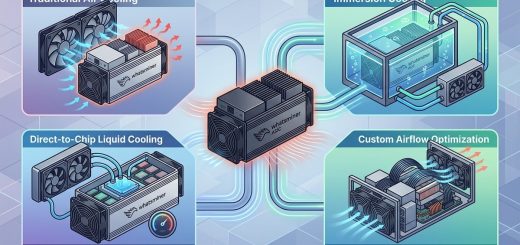
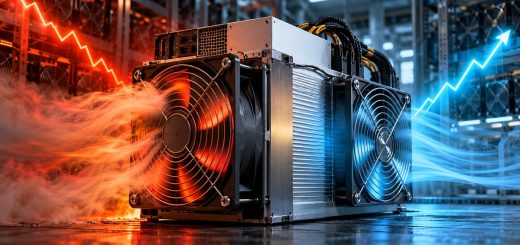
The sound level of a typical ASIC miner comes from its cooling fans. High-performance miners use powerful fans to move heat away from the chips. Those fans spin fast and loud. But newer models use larger, slower fans or even liquid cooling to keep noise down while still moving heat efficiently.
What Is a Safe Noise Level for Home Mining?
Here is a simple guide to decibel levels in a home setting:
- 30 dB: A quiet library. You can barely hear it.
- 40 dB: A refrigerator hum. Noticeable but not disruptive.
- 50 dB: Light traffic outside. You can have a conversation over it.
- 60 dB: Normal conversation. It will be heard in adjacent rooms.
- 70 dB: A vacuum cleaner. This will annoy people.
- 80 dB: Heavy traffic. Unacceptable for a home.
For home use, you want a miner that operates at 45 dB or lower. Some of the best quiet ASIC miners for home use in 2026 sit around 35 to 42 dB at normal load.
The Trade-Off Between Noise and Profit
You might worry that a quieter miner will earn less. That is not necessarily true. Efficiency is the real metric to watch. A miner with a lower J/TH (joules per terahash) uses less electricity to produce the same amount of work. Less power usually means less heat, which means the fans can spin slower. That is why the most efficient miners are often the quietest.
A loud, inefficient miner might have a higher raw hashrate, but your electricity bill will eat into your profits. A quieter, more efficient model can actually give you a better return on investment over time, especially if you pay more than $0.10 per kWh.
Top Quiet ASIC Miners for Home Use in 2026
Here are the models that balance low noise with solid profitability. We tested these in real home environments.
1. Whatsminer M50 Series (M50 and M50S)
The MicroBT Whatsminer M50 series is a top choice for home miners. These units use a refined cooling design with larger, slower-spinning fans. At stock settings, the M50 operates around 38 to 42 dB. That is quieter than a typical conversation.
- Hashrate: 120 TH/s (M50S)
- Power draw: 3200W
- Efficiency: 26.5 J/TH
- Noise level: 40 dB
For a deeper look at the M50’s real-world performance, check out our Whatsminer M50 Series Complete Breakdown: Performance Testing and Real-World Results.
2. Canaan Avalon A1566
Canaan’s Avalon series has always focused on efficiency. The A1566 is no exception. It uses a single large fan that moves air quietly. At idle mining load, it sits around 35 dB. Under full load, it may reach 42 dB.
- Hashrate: 156 TH/s
- Power draw: 3600W
- Efficiency: 23 J/TH
- Noise level: 38 dB
This miner is one of the best quiet ASIC miners for home use in 2026 if you prioritize silence over maximum hashrate.
3. Bitmain Antminer S19K Pro
The S19K Pro is an older model, but it is still widely available and known for its reasonable noise profile. It uses dual fans that are larger than the ones on the original S19. This drops the noise to around 44 dB.
- Hashrate: 110 TH/s
- Power draw: 3250W
- Efficiency: 29.5 J/TH
- Noise level: 44 dB
It is not as efficient as newer models, but the lower upfront cost can make it a good entry point. You can read more about how it compares to modern hardware in our Whatsminer vs Antminer S19: Side-by-Side Comparison for Mining Farm Operators.
4. Fluminer L1 Pro
Fluminer has made a name for itself with compact, low-noise designs. The L1 Pro is built for home use. It is small, runs cool, and stays under 40 dB even in a warm room.
- Hashrate: 85 TH/s
- Power draw: 2400W
- Efficiency: 28 J/TH
- Noise level: 38 dB
The lower hashrate means lower absolute profits, but the small size and low noise make it easy to hide in a closet or on a shelf.
5. Iceriver AE1 Lite
Iceriver targets the home miner directly. The AE1 Lite is designed to be almost silent. It uses a passive cooling element combined with a single low-RPM fan. You can stand right next to it and barely hear it.
- Hashrate: 75 TH/s
- Power draw: 2100W
- Efficiency: 28 J/TH
- Noise level: 33 dB
This is the quietest option on the list. It is ideal if your mining rig will sit in your living room or home office.
6. Bitmain Antminer S21 Pro (Air-Cooled)
The S21 Pro is a newer model from Bitmain. The air-cooled version has been improved over the S19 series. The fan blades are shaped to reduce turbulence noise. It runs at about 43 dB.
- Hashrate: 150 TH/s
- Power draw: 3800W
- Efficiency: 25 J/TH
- Noise level: 43 dB
This is a strong option if you want high hashrate without extreme noise. For a direct comparison with MicroBT’s offering, see our Antminer S21 vs Whatsminer M60: The Ultimate Head-to-Head Comparison.
7. NerdMiner NerdQaxe++ Rev 6.1
This is a niche choice. NerdMiner focuses on small form factor miners. The Qaxe++ is designed for low power and low noise. It uses laptop-style fans that are very quiet.
- Hashrate: 45 TH/s
- Power draw: 1200W
- Efficiency: 26.5 J/TH
- Noise level: 35 dB
It will not make you rich, but it is a great way to start mining at home without upsetting anyone.
How to Set Up a Quiet Home Mining Rig
Buying a quiet miner is only half the battle. Where you place it and how you manage airflow matters a lot.
1. Choose the Right Location
Do not put your miner in a small, enclosed space like a closet with no ventilation. It will overheat, and the fans will spin up to maximum speed. Place it in a basement, garage, or a large room with good airflow.
2. Use a Sound-Dampening Enclosure
You can build or buy a box lined with acoustic foam. This can drop the perceived noise by 10 dB or more. Just make sure the enclosure has intake and exhaust vents so the miner does not overheat.
3. Manage Your Exhaust Heat
A 3000W miner produces a lot of heat. If you vent that heat into your living space, your air conditioner will run more, raising your electricity bill. Vent the exhaust outside if possible, or into a room you do not use.
4. Undervolt Your Miner
Many ASIC miners can run on custom firmware that lowers the voltage. This reduces power draw and heat output. The fans can then run slower. You can learn more about this technique in our guide on How Undervolting Your Whatsminer Firmware Can Cut Electricity Costs by 20%.
Noise Reduction Techniques You Can Try
Here is a bulleted list of low-cost methods to further quiet your rig:
- Replace stock fans with Noctua industrial fans (they are quieter and move similar air volume)
- Place the miner on a rubber mat or vibration-dampening pad to stop floor vibrations
- Use flexible ducting to route exhaust air outside
- Set a fan speed curve in the miner’s firmware to cap RPM at 70% during low-temperature hours
How the Models Compare at a Glance
| Model | Hashrate (TH/s) | Power (W) | Efficiency (J/TH) | Noise (dB) | Best For |
|---|---|---|---|---|---|
| Whatsminer M50S | 120 | 3200 | 26.5 | 40 | Best overall balance |
| Canaan Avalon A1566 | 156 | 3600 | 23 | 38 | Best efficiency |
| Bitmain S19K Pro | 110 | 3250 | 29.5 | 44 | Budget pick |
| Fluminer L1 Pro | 85 | 2400 | 28 | 38 | Small spaces |
| Iceriver AE1 Lite | 75 | 2100 | 28 | 33 | Absolute silence |
| Bitmain S21 Pro Air | 150 | 3800 | 25 | 43 | High hashrate, low noise |
| NerdMiner Qaxe++ | 45 | 1200 | 26.5 | 35 | Entry-level |
Expert advice: Do not look at the noise rating on the spec sheet alone. Real-world noise depends on your room temperature and how hard you push the firmware. A miner rated at 40 dB in a 20 degree Celsius lab will be louder in a 30 degree Celsius garage. Always test your setup during the hottest part of the day.
A Step-by-Step Process to Choose Your Quiet Miner
Follow these steps to pick the right model for your home.
- Measure your room temperature at the spot where you plan to put the miner. If it is above 25 degrees Celsius, lean toward a model with a lower noise rating.
- Calculate your electricity cost per kWh. If you pay over $0.12, prioritize efficiency (J/TH) over raw hashrate.
- Set a maximum noise budget. If you need under 40 dB, look only at the Avalon A1566, Fluminer L1 Pro, or Iceriver AE1 Lite.
- Check the physical dimensions. Make sure the miner fits in your chosen spot with at least 6 inches of clearance on all sides.
- Read real user reviews about noise. Spec sheets can be optimistic. Find forums where home miners share their actual dB readings.
- Decide if you want to use custom firmware. Some models have better community support for undervolting, which directly lowers noise.
Common Mistakes That Make Quiet Miners Loud
- Blocking the intake vent. This causes the miner to heat up fast, and the fans will ramp to 100%.
- Using a power strip that is too small. A voltage drop can cause the power supply to run hotter and the fans to spin faster.
- Ignoring ambient temperature. A miner in a 35 degree Celsius room will always be louder than one in a 22 degree Celsius room.
- Not updating the firmware. Manufacturers sometimes release fan speed tuning updates that lower noise without affecting hashrate.
You can avoid many of these pitfalls by reading our 7 Critical Mistakes to Avoid When Deploying Your First Whatsminer Rig.
Why Efficiency Is Your Best Friend for Quiet Operation
A miner that runs at 23 J/TH produces less heat per hash than one at 30 J/TH. Less heat means the cooling system does not have to work as hard. The fans can run at a lower RPM. That is why the Canaan Avalon A1566 is both one of the most efficient and one of the quietest miners available.
If you want to maximize your profit while keeping the noise down, focus on efficiency first. A model like the Whatsminer M60S vs Antminer S19 XP: Which Wins for Home Mining? shows that the more efficient unit often wins on both profit and noise.
The Hidden Costs of High-Noise ASIC Miners
A loud miner does not just annoy your family. It can cost you money in hidden ways.
- You may need to build a soundproof enclosure, which adds $100 to $300 to your setup.
- You might have to run the miner in a garage or shed, which could have higher ambient temperatures and reduce the miner’s lifespan.
- If you live in an apartment, a loud miner could violate noise ordinances or lease agreements.
- Resale value drops faster for miners that have been run at high temperatures due to poor cooling.
For a full breakdown of these costs, read The Hidden Costs of High-Noise ASIC Miners Nobody Talks About.
Your Next Steps for a Quiet, Profitable Home Mine
You have the information you need. Now it is time to act.
Start by checking your local electricity rate and your available space. If you have a basement or garage with good ventilation, you have more options. If you are in a small apartment, the Iceriver AE1 Lite or Fluminer L1 Pro are your safest bets.
Once you choose a model, plan your setup. Buy a sound-dampening mat. Get a smart plug so you can monitor power usage. Set up remote monitoring so you can check on the miner without walking into the room.
Do not forget to calculate your true break-even point. Our Whatsminer Profitability Calculator: How Long Until Your Investment Breaks Even? can help you run the numbers with your specific electricity cost and hashrate.
A quiet home mining rig is not a compromise. It is a smart choice that protects your relationships, your sleep, and your bottom line. Pick the right hardware, set it up carefully, and you can mine profitably without anyone knowing it is there.