Remote Monitoring and Management Setup for Distributed Mining Hardware
Mining cryptocurrency is no longer just about having powerful hardware. Managing a distributed mining operation requires careful oversight to keep everything running smoothly. Remote monitoring and management (RMM) tools are essential for staying on top of hardware performance, minimizing downtime, and maximizing profits. Whether you operate a handful of miners or a large farm, understanding how to implement effective remote management can make a big difference.
The importance of remote management in mining operations
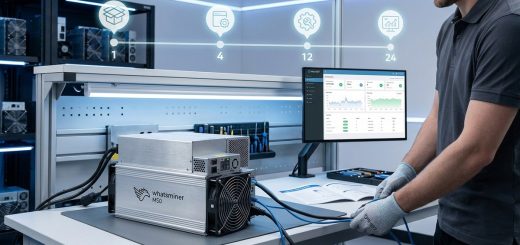
Running a mining farm spread across multiple locations can be complex. Each site has its own environment, power setup, and potential issues. Without proper tools, troubleshooting becomes a slow process. Remote monitoring allows you to see real-time data on hardware health, temperature, hash rate, and power consumption. Management features let you adjust settings, update firmware, or reboot equipment without being physically present.
Proper RMM setup helps you catch problems early, prevent hardware failures, and optimize performance. It also provides peace of mind knowing you can oversee your entire operation from anywhere. As mining hardware evolves, so do the tools that keep it running efficiently.
Implementing remote monitoring and management for mining hardware ensures continuous operation, early issue detection, and flexible control across multiple sites, boosting profitability and reducing downtime.
How to set up remote monitoring for your mining hardware
Setting up remote management involves several steps. Here’s a practical guide to help you get started:
1. Choose the right monitoring software
Select a platform that fits your operation size and needs. Look for features like real-time alerts, firmware management, temperature tracking, and remote reboot capabilities. Popular options include proprietary solutions from hardware manufacturers or third-party tools like Hive OS or Awesome Miner. Some software integrates directly with your hardware, simplifying setup.
2. Ensure your network is configured correctly
Reliable remote management depends on stable network access. Verify that each mining rig has a dedicated IP address or is accessible through a secure VPN. Configure firewalls to allow necessary ports while maintaining security. Using a static IP or dynamic DNS service can help keep your access consistent.
3. Install and set up monitoring agents
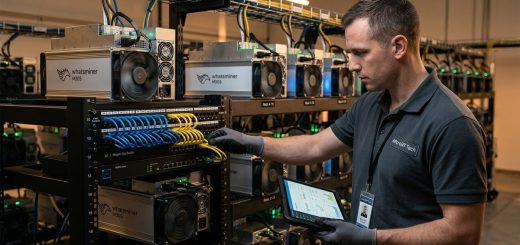
Most management platforms require agents or software installed on each miner or at least on the network segment. Follow the vendor instructions for installation, ensuring that the software can communicate with your central dashboard. For headless setups, SSH access is often necessary for advanced control.
4. Enable remote access and security measures
Turn on remote management features and enable two-factor authentication where possible. Use secure protocols like SSH or VPN tunnels to prevent unauthorized access. Regularly update passwords and firmware to mitigate security risks.
5. Configure alerts and automation rules
Set thresholds for temperature, hash rate, or power draw. Automate responses such as rebooting a rig if it crashes or sending notifications if temperature spikes. This proactive approach prevents hardware damage and reduces downtime.
6. Test the system thoroughly
Before deploying at scale, test remote controls and alerts on a few rigs. Ensure commands execute correctly and that notifications arrive promptly. Fine-tune settings based on real-world performance.
Best practices for maintaining remote management systems
Once your setup is complete, ongoing maintenance is key. Keep software updated to patch security vulnerabilities. Regularly review alert logs and performance metrics. Train your team on remote troubleshooting procedures.
Common pitfalls and how to avoid them
| Technique | Mistake | Solution |
|---|---|---|
| Proper network setup | Using DHCP without safeguards | Assign static IPs or use DHCP reservations to ensure consistent access |
| Firmware updates | Updating without backups | Always backup configurations before firmware upgrades |
| Security | Using weak passwords | Implement strong, unique passwords and multi-factor authentication |
| Alert configuration | Setting thresholds too high or low | Tailor alerts to your hardware’s normal operating ranges |
| Monitoring scope | Failing to include all devices | Regularly audit your network to include new hardware |
“Failing to secure remote access can open your operation to cyber threats. Always prioritize security and regularly review access logs.” — Industry expert
Hardware specifications and performance considerations
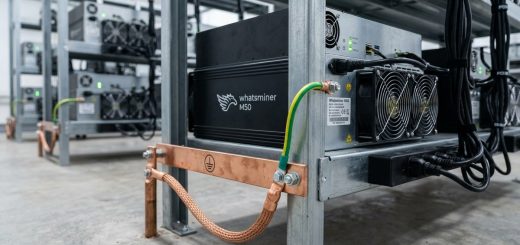
Understanding your mining hardware’s specifications helps optimize remote management. Look for models with built-in remote management features like MicroBT’s Whatsminer series or Antminer models with integrated web interfaces. Hardware with high hash rates and efficient power consumption delivers better ROI, especially when you can fine-tune settings remotely.
Monitoring temperature and power draw is vital. Excessive heat can degrade components, while inefficient power use eats into profits. Use tools that provide detailed data and allow remote adjustments to fan speeds, overclocking, or operating algorithms.
Integrating RMM tools with hardware and infrastructure
Many miners use management platforms that connect directly to hardware via IP or through network gateways. For example, some hardware supports SNMP or REST APIs, enabling seamless integration. Others rely on third-party software that communicates via SSH or proprietary protocols.
Set up a centralized dashboard to view all your rigs. Use automation rules for common issues, like restarting a miner if it becomes unresponsive. Combining hardware specifications with monitoring data helps you make informed decisions on upgrades or repairs.
Cost considerations and ROI of remote management
Investing in remote management systems involves software licenses, hardware, and network infrastructure. However, these costs are often offset by savings in maintenance, reduced downtime, and increased productivity. For large farms, remote control minimizes the need for on-site visits, saving time and travel expenses.
Practical tips for maximizing ROI:
- Use free or open-source management platforms when suitable
- Automate routine tasks to free up your team
- Regularly review performance data to identify efficiency gains
- Invest in high-quality network hardware for stability
- Keep firmware and software up to date to avoid costly hardware failures
Final thoughts on mastering remote management in mining
Efficient remote monitoring and management for mining hardware is a game-changer. It allows you to oversee your operation with confidence, respond quickly to issues, and fine-tune performance from anywhere. As hardware continues to evolve, so will the tools that keep your mining farm running at peak efficiency.
By following best practices and staying proactive, you can ensure your distributed mining operation remains profitable and resilient. With the right setup, remote management becomes not just a convenience, but a core part of your success strategy.
Keep your mining farm running smoothly from afar
Managing a distributed mining operation doesn’t have to be overwhelming. Embrace remote monitoring and management to stay in control, catch problems early, and optimize your hardware’s performance. Your future self will thank you for taking these steps now.