Should You Use Beta Firmware Releases for Your Whatsminer?
You have a Whatsminer humming away in your mining rig, earning you Satoshis. Then you see a forum post raving about a new beta firmware that promises a 15% hash rate bump. It sounds tempting. But before you download that unsigned file, let me walk you through what can actually go wrong.
Beta firmware for Whatsminer ASICs carries serious risks: bricked units, voided warranties, thermal damage, and security vulnerabilities. The performance gains are often modest and temporary. For most miners, sticking with official stable releases is the safer path. If you must test beta, isolate one machine, back up the stock firmware, and monitor closely for 72 hours before considering wider deployment.
What Is Beta Firmware Exactly?
Beta firmware is a pre-release version of the software that runs on your Whatsminer. MicroBT releases it to a limited group of testers so they can catch bugs before the final stable version ships. These builds may include new features, frequency tweaks, or voltage adjustments that aren’t fully validated yet.
The problem? A beta release hasn’t gone through the full quality assurance gauntlet. It might work perfectly on one batch of M50 chips and crash another. It could introduce a memory leak that slows your miner to a crawl after three days. Or it could contain a logic error that makes your hashboard overheat.
The Hidden Costs of Running Unstable Code
When you load beta firmware on your Whatsminer, you are signing up for more than just the chance of a higher hash rate. Here are the concrete risks you need to consider:
- Bricked miner: A corrupted flash can leave your hardware completely unresponsive. Recovering from a brick often requires opening the case and using a JTAG programmer, which most operators don’t have on hand.
- Reduced hashrate or instability: Beta code can cause hashboards to drop offline, produce high reject rates, or fluctuate wildly. You might see a 5% gain one hour and a 20% loss the next.
- Thermal runaway: Aggressive voltage settings in beta firmware can push chips past their safe temperature limits. Even if the miner doesn’t shut down, the sustained heat degrades the ASICs permanently.
- Security vulnerabilities: Unofficial beta firmware from third parties may contain backdoors or malware. In 2025, several mining farms lost control of their rigs after installing unsigned beta releases from unknown sources.
- No support: If your miner crashes or catches fire, MicroBT’s warranty department will not help you. You are on your own.
Let’s put this in perspective. A typical Whatsminer M50S costs around $2,500 to $3,000 in 2026. A single bricked unit wipes out months of potential profit from that machine. And if you deploy beta on a whole rack of 20 miners, you are risking tens of thousands of dollars.
How Beta Firmware Can Void Your Warranty
MicroBT’s terms of service are clear: installing any firmware that is not officially signed and distributed by the company voids the hardware warranty. This includes beta releases that MicroBT itself posts for testing purposes. Even if you downloaded it from the official MicroBT website, the moment you flash a beta version, your warranty coverage ends.
Here is a breakdown of what happens:
| Scenario | Warranty Status | What You Lose |
|---|---|---|
| Stock firmware, stable release | Covered | N/A |
| Official beta firmware from MicroBT | Voided | Free repairs, replacement of failed parts |
| Third-party beta firmware | Voided | All support, including remote diagnostics |
| Custom firmware (Vnish, etc.) | Voided | Same as above |
If your PSU fails while on beta firmware, MicroBT can deny the claim. If a hashboard chip fries, you pay for a new one out of pocket. The only exception is if you revert to stock firmware before contacting support, but the miner logs often reveal what firmware was loaded.
The Right Way to Test Beta Firmware (If You Must)
I get it. Some of you are tinkerers at heart. You want to squeeze every last J/TH out of your gear. If you absolutely need to test a beta release, follow these steps to limit your exposure:
- Pick one sacrificial miner. Do not flash beta on your primary units. Choose the oldest machine or one that is already out of warranty.
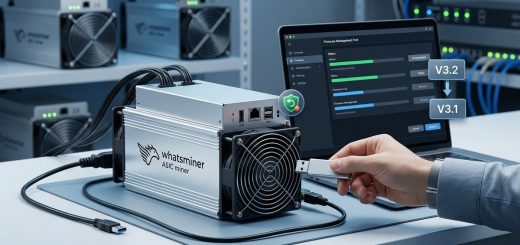
- Download the backup of your current stock firmware. Use MicroBT’s utility to save the full firmware image, including the bootloader. Store it on a separate USB drive.
- Check the checksum. Compare the SHA256 hash of the beta file against the one posted on the official source. If it doesn’t match, do not install it.
- Flash the beta during off-peak hours. If something goes wrong, you won’t lose prime mining time. Start the flash when your pool difficulty is low (usually late at night UTC).
- Monitor the first 24 hours closely. Watch the hash rate, reject rate, chip temperatures, and power draw. Write down baseline numbers from stock firmware and compare.
- Run for 72 hours before making any decision. Some bugs take days to show up. If the machine stays stable and temperatures stay within safe range, consider keeping it on beta for one more week.
- Prepare a recovery plan. Know how to force the miner into recovery mode (usually by holding the reset button while powering on). Have the stock firmware file ready to reflash.
You can also read our detailed guide on what happens when firmware updates go wrong and how to recover. That article covers JTAG recovery in depth.
When Beta Firmware Actually Makes Sense
There are a few narrow scenarios where installing beta firmware might be worth the gamble. Let me be clear: these are exceptions, not the rule.
“I only recommend beta firmware to miners who have a dedicated test bench, a second machine as a backup, and the technical ability to recover a brick. For everyone else, wait for the stable release. The extra 2-3% efficiency is not worth a weekend without mining.”
– Senior technician at a major US mining hosting facility (name withheld)
The biggest reason to use beta is if a critical bug in the current stable release is costing you money. For example, if the official firmware has a memory leak that causes your miner to restart every 12 hours, and the beta patch explicitly fixes that, then you might accept the risk.
Another case: you are running an immersion cooling setup and the stable firmware doesn’t support the temperature sensors needed for your system. Some beta versions add support for custom thermistor configurations.
But even then, you are better off contacting MicroBT support and asking for a fix. They often provide a patched stable firmware directly to customers with special setups.
Balancing Performance and Safety
Every mining operator has to make their own choice. But here is the honest math: the performance uplift from beta firmware is usually between 3% and 8% in hash rate, and often comes at the cost of 5-10% higher power draw. Your net efficiency (J/TH) may actually worsen. Meanwhile, the risk of bricking, voiding warranty, or crashing the miner stays the same.
If you want better performance, start with proven methods first. Undervolting your Whatsminer firmware can cut electricity costs by 20% without any beta risk. Or look at aftermarket firmware that has been battle-tested for months rather than untested beta code.
Making the Call on Beta Firmware for Your Whatsminer
Beta firmware is a tool, not a shortcut. It can help debug issues or test new features before they go mainstream. But for the vast majority of Whatsminer owners, especially those running commercial mining operations, it introduces more problems than it solves.
Take a step back. Ask yourself: is a 4% hash rate boost worth losing a $2,500 machine? Is that extra $30 per month in revenue worth the headache of recovering a bricked miner? For most people, the answer is no.
If you decide to test beta, do it safely. Use one unit, back everything up, and monitor like a hawk. And remember, the official stable firmware exists for a reason: it keeps your equipment earning, day after day, without surprises.
Your mining farm’s bottom line depends on uptime, not on chasing the last few percent of performance. Keep that in mind before you hit “flash.”