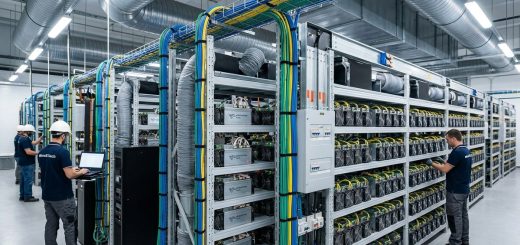
Maximizing Hashrate Stability on Your Whatsminer for Long-Term Mining Success
Maintaining a steady hashrate on your Whatsminer is key to long-term mining success. Fluctuations can eat into your profits and cause hardware stress. Whether you’re running a small setup or managing a large farm, understanding how to keep your miners stable helps ensure consistent earnings. The good news is that with the right adjustments and routine maintenance, you can optimize your hardware performance over years of operation.
Achieving long-term Whatsminer hashrate stability involves proper setup, regular maintenance, firmware tuning, and environmental control. These steps help sustain performance, reduce hardware stress, and maximize mining profitability over years.
Understanding the importance of hashrate stability in crypto mining
Hashrate stability is the backbone of profitable mining. When your hardware runs consistently at or near its rated capacity, your earnings become predictable. Fluctuations can cause missed blocks or reduced income, especially if the hashrate dips below the network difficulty adjustments. Stability also minimizes hardware stress, preventing overheating and wear that can lead to early failures.
For miners aiming for long-term success, it is not enough to just buy a powerful miner. You must also learn how to keep it running smoothly. The Whatsminer line is popular because of its robust hardware design, but even the best rigs need proper care and tuning to stay on top.
Practical steps to maximize Whatsminer hashrate stability
-
Start with proper hardware setup
-
Regularly perform maintenance and cleanings
-
Fine-tune firmware and operating parameters
1. Start with proper hardware setup
Correct installation is crucial. Make sure your Whatsminer is placed in a well-ventilated area with stable power supply. Use high-quality power supplies and ensure connections are secure. Avoid running miners in cramped or hot environments.
Additionally, set up your network with static IP addresses and proper port forwarding. This reduces connection issues that can cause temporary hashrate drops. Proper grounding and surge protection are also vital to prevent damage from electrical surges, which can cause instability or hardware failure.
2. Regularly perform maintenance and cleanings
Dust buildup inside the mining hardware can impair airflow and cause overheating. Schedule routine cleanings to remove dust from fans, heatsinks, and vents. Keep the ambient temperature under control, ideally between 20 to 25 degrees Celsius.
Monitor the temperature readings via the miner’s dashboard. Overheating can throttle the hashrate or cause shutdowns. Implementing cooling solutions such as additional fans, air conditioning, or immersion cooling can significantly improve stability and extend hardware lifespan.
3. Fine-tune firmware and operating parameters
Firmware tuning is often overlooked but can have a big impact on performance stability. Use the latest firmware versions recommended by the manufacturer, as they often include stability improvements and bug fixes. For advanced users, custom firmware or overclocking profiles may boost performance but must be approached carefully to avoid instability.
Adjust your miner’s frequency and voltage settings gradually. Overclocking can increase hashrate, but pushing too far can lead to crashes and hardware degradation. It is wise to test changes incrementally and monitor for any signs of instability.
Expert tip: “Firmware tuning and environmental controls are the two pillars of stable, long-term mining. Don’t chase maximum hashrate at the expense of stability. Small, consistent improvements yield better results over years.”
Common mistakes that harm hashrate stability
| Mistake | Consequence | Solution |
|---|---|---|
| Ignoring thermal management | Overheating causes throttling and hardware stress | Use adequate cooling, monitor temperatures |
| Using outdated firmware | Bugs and security vulnerabilities | Keep firmware updated, test new releases first |
| Poor power quality | Voltage spikes and drops | Use high-quality power supplies and surge protectors |
| Inadequate network setup | Connection drops and lag | Assign static IPs, check connection stability |
| Overclocking without testing | Crashes and hardware damage | Increase settings gradually and monitor stability |
Maintaining your Whatsminer for the long haul
Consistent performance is built on proactive maintenance. Schedule regular inspections, cleanings, and firmware updates. Keep an eye on temperature logs and hashrate consistency. Small adjustments can prevent large failures.
Incorporate environmental controls like airflow management and temperature regulation to minimize thermal stress. When deploying multiple units, ensure your power and network infrastructure can handle the load without fluctuations.
If you want to learn more about the latest hardware options or how to optimize your setup further, visiting resources like our comprehensive hardware guides and performance testing reports can be helpful.
Final thoughts on sustaining long-term mining performance
Long-term mining success hinges on stability. By paying close attention to setup, environmental factors, firmware tuning, and routine care, you can keep your Whatsminer running at peak efficiency. With consistent operation, your mining farm becomes a reliable income source rather than a series of costly repairs and downtime.
Apply these principles step by step, and you’ll find your hardware not only performs better but also lasts longer. Mining is a marathon, not a sprint. Staying vigilant and proactive ensures your investments pay off year after year.