Maximize Your MicroBT Whatsminer Efficiency with Proven Tuning Techniques
Maximizing the output of your Whatsminer hardware often hinges on fine-tuning your setup. When properly adjusted, these machines can deliver higher hashrates, lower power consumption, and better overall efficiency. Whether you’re running a small operation or managing a large mining farm, applying proven tuning techniques can significantly impact your profitability. This guide will walk you through practical steps, common mistakes to avoid, and expert advice to help you get the most out of your Whatsminer devices.
Implementing targeted Whatsminer tuning techniques can improve performance, lower energy costs, and extend hardware lifespan. Focus on firmware adjustments, overclocking carefully, and avoiding common pitfalls to optimize your Bitcoin mining operations efficiently.
Understanding Whatsminer Hardware and Performance Factors
Before diving into tuning, it’s helpful to understand what influences your Whatsminer’s efficiency. Key hardware components include the ASIC chips, power supply units, cooling systems, and firmware. Each of these plays a role in overall performance.
Whatsminers are designed for high hashrates with specific factory settings. However, many miners want to push their hardware further to boost profitability. This requires a balance—tweaking settings to enhance output without risking hardware damage or increased energy costs. Mastery of firmware tuning techniques allows you to fine-tune your devices to operate at their best.
Practical Whatsminer Tuning Techniques
Applying tuning techniques involves a step-by-step process. Here are proven methods to enhance your miner’s performance:
1. Firmware Adjustments
Firmware plays a crucial role in controlling your device’s operating parameters. Custom or aftermarket firmware can unlock performance potential beyond stock settings.
- Upgrade to optimized firmware that supports frequency and voltage adjustments. For example, some community-developed firmware offers advanced control options.
- Adjust frequency settings to increase hashrate. Typically, you can increase the core and memory clock speeds in small increments.
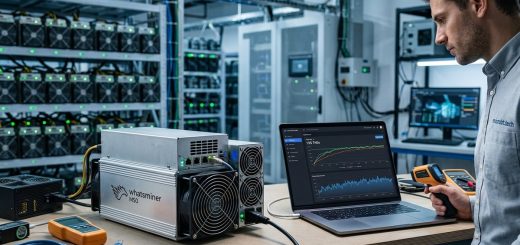
- Monitor stability after each change. Use monitoring tools provided by the firmware to track temperature, power draw, and hashrate.
2. Overclocking with Caution
Overclocking can deliver notable gains but comes with risks. Follow these steps for a safe approach:
- Step 1: Access the miner’s web interface or control panel.
- Step 2: Increase frequency settings gradually. For example, bump the core clock by 5-10 MHz at a time.
- Step 3: Keep an eye on temperature and power consumption. If temperatures rise above safe levels, dial back slightly.
- Step 4: Run stability tests for at least 24 hours. Watch for errors or crashes.
- Step 5: Save the stable profile and repeat if desired.
Expert tip: “Overclocking can improve your hashrate by up to 20-30%, but always prioritize cooling and power stability to avoid damaging your hardware,” advises seasoned miners.
3. Power and Cooling Optimization
Efficiency isn’t just about frequency. Managing power and temperature is vital.
- Use high-quality power supplies that deliver steady current.
- Implement effective cooling solutions, such as enhanced airflow, fans, or immersion cooling.
- Maintain ambient temperatures below 25°C if possible.
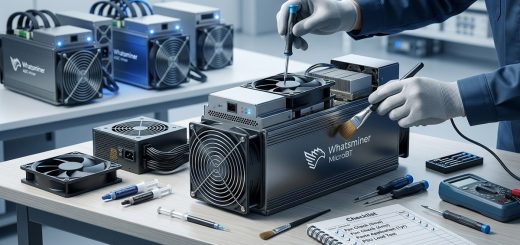
- Regularly clean dust and check thermal paste for optimal heat transfer.
4. Fine-Tuning Voltage and Power Limits
Reducing voltage slightly while maintaining stable operation can lower power consumption without hurting performance.
- Use firmware that allows voltage adjustments.
- Decrease voltage in small steps—about 10-15 mV at a time.
- Track hashrate and temperature for each change.
- Avoid undervolting too aggressively, which can cause errors or instability.
5. Regular Maintenance and Monitoring
Consistent checks prevent performance drops and hardware failures. Use monitoring software to track hashrate, temperature, and power use.
- Schedule periodic firmware updates.
- Replace worn-out cooling components promptly.
- Keep firmware and drivers updated for maximum compatibility.
Common Tuning Mistakes to Dodge
| Technique | Mistake |
|---|---|
| Overclocking without testing | Pushing frequency too high causing crashes |
| Ignoring cooling | Running hot hardware reduces lifespan |
| Understating voltage adjustments | Undervolt causing instability |
| Skipping stability tests | Running for days without verifying stability |
6. Final Checklist for Optimal Performance
- Use the latest firmware supporting custom tuning.
- Adjust frequency incrementally and test stability.
- Manage cooling to maintain safe operating temperatures.
- Reduce power consumption with voltage tweaks.
- Regularly monitor hardware health.
Leveraging Expert Advice for Better Results
“Patience and incremental changes are key. Small adjustments combined with thorough testing extend your hardware’s lifespan while maximizing output,” advises a veteran miner.
Building a Sustainable Mining Setup
Tuning your Whatsminer hardware is an ongoing process. As hardware ages or firmware updates roll out, revisit your settings. Remember, the goal is to find the sweet spot where performance peaks without risking damage or excessive power costs.
Applying these proven techniques can help you achieve a better hashrate-to-watt ratio, lower operational costs, and extend your equipment’s lifespan. Take the time to experiment carefully, monitor results, and adjust gradually. Your efforts will translate into higher profitability over the long run.
Keep Your Mining Farm Running at Peak Efficiency
Mining hardware tuning might seem complex at first, but with patience, you can unlock significant gains. Focus on firmware upgrades, careful overclocking, and cooling improvements. Always verify stability with thorough testing before deploying settings at scale.
Your mining operation can become more profitable and resilient by integrating these tuning techniques into your routine. Small adjustments made consistently can lead to big results. Now, go ahead and optimize your Whatsminer devices for maximum efficiency and long-term success.