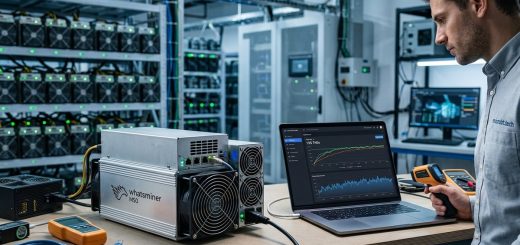
How to Troubleshoot Common Whatsminer Error Codes Without Calling Support
So your Whatsminer just blinked an error code you have never seen before. Maybe a fan stopped spinning. Maybe the hashboard dropped offline. Your first instinct is to call support and wait on hold for an hour. I get it. But here is the truth: most Whatsminer error codes are easy to diagnose and even easier to fix once you know what they mean. This guide walks you through the most common faults you will see on a MicroBT ASIC miner in 2026 and shows you exactly how to resolve each one without talking to a single support agent.
Whatsminer error codes are grouped into fan, power, temperature, hashboard, and connection categories. Most faults come from dust buildup, failing fans, loose power cables, or incorrect voltage settings. You can fix over 80% of these errors in under 15 minutes using the miner’s built-in log viewer and a few basic tools. This guide gives you the exact steps and error code lookup table so you never need to call support again.
Your Error Code Cheat Sheet
Before we get into the nitty gritty, let me share a simple truth. Your Whatsminer is actually pretty good at telling you what is wrong. You just need to know how to read the message. Every error code that appears in the WhatsMinerTool dashboard or on the miner’s web interface follows a predictable pattern.
The codes you see most often belong to five categories. Here is a quick reference table you can bookmark for later.
| Error Category | Common Codes | Typical Cause | Fix Time |
|---|---|---|---|
| Fan faults | E001, E002, E004 | Fan stuck, blocked, or failed | 5 to 10 minutes |
| Power issues | E007, E008, E009 | PSU overload, under-voltage, bad cable | 10 to 15 minutes |
| Overheating | E010, E011, E012 | Air intake blocked or fan speed too low | 5 minutes |
| Hash board errors | E020, E021, E022 | Loose ribbon cable or chip failure | 10 to 30 minutes |
| Pool connection | E030, E031, E032 | Wrong pool URL or network issue | 5 minutes |
Keep this table handy. When a new error pops up, check the category first. That alone will cut your troubleshooting time in half.
Reading the Logs Like a Pro
Your Whatsminer keeps a detailed log of everything that happens. Most miners skip this step and jump straight to swapping parts. That is a mistake. The log tells you the exact moment the error started and often gives you a clue about what triggered it.
To access the logs on any Whatsminer model running stock firmware:
- Open your browser and enter the miner’s IP address.
- Log in with your admin credentials.
- Click on the “System” tab and then “Logs.”
- Look for the timestamp when the error first appeared.
- Check what event happened just before the error. A sudden temperature spike or a voltage drop is usually the culprit.
This process takes about 60 seconds. It saves you from guessing and helps you avoid unnecessary hardware swaps.
Fan Errors That Keep Your Miner From Starting
Fan errors are the most common issue on any Whatsminer. The miner refuses to boot if it detects a fan running too slow or not at all. That is a safety feature, not a bug. The good news is that fan fixes are almost always mechanical and cost very little.
E001 and E002
These codes mean a specific fan port is not reporting the correct RPM. The miner will either run at reduced power or shut down completely.
Start by doing this:
- Shut down the miner and unplug the power supply.
- Remove the fan grille and check for dust buildup on the blades.
- Spin each fan manually with your finger. It should move freely without grinding.
- Plug the miner back in and watch the fan speeds on the dashboard.
- If one fan stays at zero RPM, swap the fan cable to a different port on the hashboard.
If the fan works on a different port, the original port on the board may be faulty. If the fan still does not spin, replace the fan unit. A standard 120mm fan for Whatsminer costs around 15 dollars and installs in under 10 minutes.
E004
This error means the miner detected an inconsistent fan speed. The fan is spinning, but not at the required rate. Most of the time this points to a fan that is dying slowly.
Try cleaning the fan with compressed air first. If the error comes back within a few hours, replace the fan. Do not ignore this one. A fan failure mid operation can cause the hashboards to overheat and damage the ASIC chips permanently.
Power Supply Errors That Look Scarier Than They Are
Power errors make most miners panic because they worry about damaging expensive equipment. In reality, most power related codes come from simple connection problems.
E007 and E008
These codes show up when the power supply unit cannot deliver enough voltage or current to the miner. Your Whatsminer draws a specific amount of power depending on the model. For example, the M50 series pulls around 3300 watts at full load.
Before you replace your PSU, check these three things:
- Make sure all power cables are fully seated on both the PSU side and the hashboard side.
- Confirm that your electrical outlet can handle the load. A 15 amp breaker on a standard 120 volt circuit maxes out around 1800 watts. Most modern Whatsminers need a dedicated 20 amp or 30 amp circuit.
- Test the PSU with a multimeter. The 12 volt rail should read between 11.8 and 12.2 volts under load.
If all three check out, your PSU likely has a failing capacitor or regulator. Consider borrowing a known working PSU from another miner to confirm the diagnosis before buying a replacement.
E009
This code means the miner detected a sudden power drop during operation. It is often triggered by a loose connection or an intermittent power source.
Check the power cable where it plugs into the wall. If you are using an extension cord or a power strip, remove it and plug the miner directly into the wall outlet. Power strips are a common source of intermittent failures in mining setups.
Pro tip from a farm operator with 200+ units: Label every power cable with a piece of tape and a marker. When an E009 code appears, you can trace the cable back to the PSU in seconds instead of playing the guessing game. This one habit will save you hours of downtime every month.
Temperature and Overheating Errors
Your Whatsminer is designed to run hot. The chips can handle temperatures up to about 85 degrees Celsius on the die. But the miner will throttle itself down or shut off long before that to protect the hardware.
E010 and E011
These codes mean the intake or exhaust temperature is too high. The most common cause is simple: something is blocking the airflow.
Walk around your miner and check for these issues:
- The front intake is too close to a wall or another miner. Leave at least 6 inches of clearance.
- The exhaust side is blowing hot air back into the intake. This is common in enclosed racks.
- Room ambient temperature is above 40 degrees Celsius. If your mining space feels like a sauna, you need better ventilation.
Adding a simple duct fan to pull hot air out of the room can drop your intake temperature by 10 degrees or more.
E012
This error means a specific temperature sensor on a hashboard is reading much higher than the others. It usually points to a problem with that particular board rather than the room setup.
Shut down the miner and let it cool for 10 minutes. Then power it back on and watch the individual board temperatures on the dashboard. If one board consistently reads 10 to 15 degrees higher than the others, the thermal paste between the chips and the heatsink may have degraded. Reapplying thermal paste is an advanced repair but can extend the life of that board significantly.
Hash Board Errors That Feel Scary But Are Often Simple
When a hashboard stops working, your total hashrate drops and error codes like E020 or E021 appear. Your first thought might be that the board is dead. But that is not always true.
E020
This code means the control board cannot communicate with one of the hashboards. The most common cause is a loose or dirty ribbon cable.
Follow these steps:
- Power down the miner completely.
- Open the case and locate the ribbon cable connecting the hashboard to the control board.
- Unclip both ends of the ribbon cable and inspect the contacts. Look for bent pins or dust.
- Use a soft brush or compressed air to clean the contacts.
- Reconnect the cable firmly and close the clips.
- Power the miner back on and check if the board is detected.
This simple reseating process fixes E020 errors about 70 percent of the time.
E021 and E022
These codes indicate that the hashboard is detected but not hashing properly. The chips may be failing or the board may not be receiving enough voltage.
Swap the hashboard to a different slot in the miner. If the error moves with the board, the board itself is faulty. If the error stays in the same slot, the problem is on the control board or the power delivery to that slot.
Mining Pool Connection Errors
Sometimes the miner is working perfectly but cannot connect to the pool. E030 and E031 errors appear when the miner cannot reach the pool server. E032 appears when the miner connects but the pool rejects the worker credentials.
Check these items in order:
- Open the pool settings on the miner and confirm the URL is correct. A single typo will block the connection.
- Verify that your internet connection is working. Ping the pool server from a computer on the same network.
- Make sure the worker name and password match what you set up on the pool website.
- If you changed your pool password recently, update it on the miner too.
A smart miner I know keeps a screenshot of his pool settings on his phone. When an E032 error appears, he pulls up the screenshot and compares every character. He has caught typos more times than he cares to admit.
Common Mistakes That Worsen Error Codes
Some fixes actually make things worse. Here are the mistakes I see most often from miners who skip the basics.
| Mistake | Why It Hurts | Better Approach |
|---|---|---|
| Replacing a PSU without testing | New PSUs can be defective too. You waste money and time. | Test the original PSU with a multimeter first. |
| Ignoring fan errors for days | A failing fan can overheat chips and cause permanent damage. | Replace the fan as soon as the error appears. |
| Updating firmware to fix a hardware error | Firmware updates cannot fix a broken fan or a loose cable. | Diagnose the hardware first, then update firmware if needed. |
| Running the miner with the case open | Airflow changes and dust gets in faster. Temperatures may actually rise. | Always run the miner with the factory case and fans in place. |
| Using a different amperage PSU | Wrong voltage or current can destroy hashboards. | Always match the PSU specs to your specific Whatsminer model. |
When You Should Actually Call Support
Most errors you can fix yourself. But there are a few situations where calling support is the right move.
You should reach out for help when:
- You have tried all the steps in this guide and the error code remains unchanged.
- The miner has visible physical damage like a burned chip or a cracked PCB.
- You need a warranty replacement and cannot process it through the online portal.
- The error code is one you cannot find in any public documentation.
In these cases, calling support saves you time and prevents you from causing further damage. But for the vast majority of errors, you have everything you need right here to fix the problem yourself.
Keeping Your Whatsminer Running Error Free
The best way to handle error codes is to prevent them from appearing in the first place. A regular maintenance routine takes about 30 minutes every two months and catches most issues before they turn into error codes.
Your maintenance checklist:
- Blow out dust from the fans and heatsinks with compressed air.
- Check all cable connections and reseat any that feel loose.
- Inspect the intake and exhaust areas for obstructions.
- Review the miner logs for any intermittent errors that never triggered a full code.
- Update the firmware if a newer version addresses known issues.
If you follow this routine, you will see far fewer error codes over the life of your miner. And when one does appear, you will already have the skills to fix it in minutes.
For a deeper look at how specific Whatsminer models handle error recovery, check out our Whatsminer M50 series complete breakdown that covers performance testing and real world behavior under fault conditions. You might also find our guide on Whatsminer power supply failures useful when dealing with those stubborn E008 and E009 codes. And if you are planning to add more units to your farm, our Antminer S21 vs Whatsminer M60 comparison will help you choose hardware that gives you fewer headaches down the road.
Your Next Move When an Error Code Appears
You now have a complete toolkit for handling Whatsminer error codes without picking up the phone. Here is the simple sequence to follow every time.
- Look up the code in the cheat table above to know the category.
- Pull the logs to find the exact moment the error started.
- Apply the specific fix for that code from this guide.
- Test the miner for 30 minutes to confirm the error stays gone.
- Document what you did so you have a record for next time.
That is it. No waiting on hold. No explaining your problem to three different people. Just you, your miner, and a fix that takes minutes instead of hours.
Now go check those logs and get your hashrate back where it belongs.